

Presentation editor PPTWork for PPT slides

Ringkasan
Create and edit PPT presentations with an editor online that supports Microsoft Powerpoint and LibreOffice ODP formats
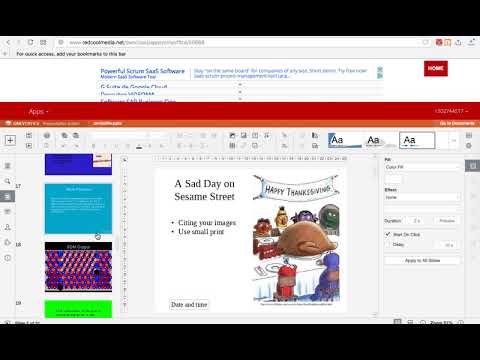
PPTWork is a Presentation editor where you can perform various editing operations like in any desktop editor, print the edited presentations keeping all the formatting details or download them onto your computer hard disk drive as PDF or PPTX files. Moreover, it scans and collects the webpages you browse in the Internet. These webpages are uploaded to our servers in order to know if they contain PPT or PPTX files that can be edited using our extension integrated with our online app. Main Features File formats supported: - PPTX, Office Open XML Presentation Zipped, XML-based file format developed by Microsoft for representing spreadsheets, charts, presentations, and word processing documents - PPT, File format used by Microsoft PowerPoint - ODP, OpenDocument Presentation File format that represents presentation document created by Impress application, which is a part of OpenOffice based office suites Basic operations - Create a new presentation or open an existing one - Copy/paste data, undo/redo your actions Manage slides - Set slide parameters - Apply transitions - Preview your presentation Text formatting - Insert and format your text - Add hyperlinks - Copy/clear formatting Operations on objects - Insert and format autoshapes - Insert and adjust images - Insert and edit charts - Insert and format tables - Fill objects and select colors - Manipulate objects on a slide - Align and arrange objects on a slide Tools and settings - View presentation information - Save/print/download your presentation - Search function
4,1 dari 528 rating
Detail
- Versi1.9.8
- Diupdate29 Mei 2024
- Ukuran330KiB
- Bahasa18 bahasa
- Developer
- Non-pedagangDeveloper ini tidak mengidentifikasi diri sebagai pedagang. Bagi konsumen di Uni Eropa, perlu diperhatikan bahwa hak konsumen tidak berlaku untuk kontrak antara Anda dan developer ini.
Privasi

Presentation editor PPTWork for PPT slides telah mengungkapkan informasi berikut ini terkait pengumpulan dan penggunaan data Anda. Informasi lebih mendetail dapat dilihat di privacy policy developer.
Presentation editor PPTWork for PPT slides menangani hal berikut:
Developer ini menyatakan bahwa data Anda
- Tidak dijual ke pihak ketiga, di luar kasus penggunaan yang disetujui
- Tidak digunakan atau ditransfer untuk tujuan yang tidak terkait dengan fungsi inti item
- Tidak digunakan atau ditransfer untuk menentukan kelayakan kredit atau untuk tujuan pinjaman
Dukungan
Untuk mendapatkan bantuan terkait pertanyaan, saran, atau masalah, buka halaman ini di browser desktop Anda