


Overview
5-minute, source-linked pre-call prospect research for startup GTM teams.
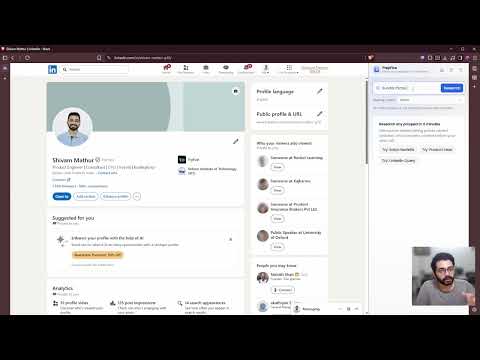
Know your prospect in 5 minutes. PrepFive turns a name and company into a structured, source-linked brief — right in your Chrome side panel. Walk into every meeting with the context that matters. WHO IT IS FOR PrepFive is built for founders, AEs, and SDRs at startups who run back-to-back external meetings and need fast, trusted research before the conversation starts. WHAT YOU GET Person brief The most important context about the specific person you are about to meet: their role, background, priorities, and what matters to them right now. Company context Supporting company information when it helps you understand the meeting better: funding stage, key metrics, recent activity, and meeting relevance. Overview digest The brief opens with Must Know, Ask Next, Risks, and Meeting Fit — organized the way your brain needs them before a call. Recent activity Person activity stays central. Company activity is included when it adds useful meeting context. Source links Every claim links to its original source. No black-box summaries you have to take on faith. Verify any point in seconds. Identity confidence Candidate ranking and disambiguation reduce false matches before deep research begins. You know PrepFive found the right person. Personalized output Save your own profile so PrepFive shapes results around who you are and the meeting type that applies to your call. Chrome side panel One click opens PrepFive alongside any tab. Research while you work — no tab-switching, no context loss. HOW IT WORKS 1. Open the PrepFive side panel from the Chrome toolbar. 2. Type a name, company, or LinkedIn URL into the search field. 3. If multiple candidates match, pick the right person. 4. Read the structured brief in under 5 minutes. 5. Click any source link to verify or go deeper. PLANS Free — 5 searches per month, no credit card required. Pro — 100 searches per month, full history for the billing month. Ultra — 200 searches per month, indefinite history, top-up packs available. PERMISSIONS PrepFive uses the Chrome side panel, local storage, and session cookies to maintain your authentication state. It connects to the PrepFive backend to generate your brief and to Clerk for secure sign-in. No data is shared with advertisers. No tracking pixels. No third-party ad networks. PRIVACY PrepFive is built for fast-moving revenue teams. Your research data is used only to deliver and improve your brief. Full details are in the privacy policy linked below.
5 out of 51 rating
Details
- Version1.0.4
- UpdatedJuly 19, 2026
- FeaturesOffers in-app purchases
- Size3.91MiB
- LanguagesEnglish (United States)
- DeveloperKodingKorpWebsite
14Th To 19Th, Hd-264, Berger Tower, Jamna Lal Bajaj Marg Fran Connect, Sector 16B Gautambuddha Nagar, Uttar Pradesh 201301 INEmail
shivam@kodingkorp.comPhone
+91 84457 16222 - TraderThis developer has identified itself as a trader per the definition from the European Union and committed to only offer products or services that comply with EU laws.
- D-U-N-S581667093
Privacy

PrepFive has disclosed the following information regarding the collection and usage of your data. More detailed information can be found in the developer's privacy policy.
PrepFive handles the following:
This developer declares that your data is
- Not being sold to third parties, outside of the approved use cases
- Not being used or transferred for purposes that are unrelated to the item's core functionality
- Not being used or transferred to determine creditworthiness or for lending purposes
Support
For help with questions, suggestions, or problems, visit the developer's support site