


Overview
Generate proposals, quotes, and contracts with one click—straight from any site where clients post project opportunities!
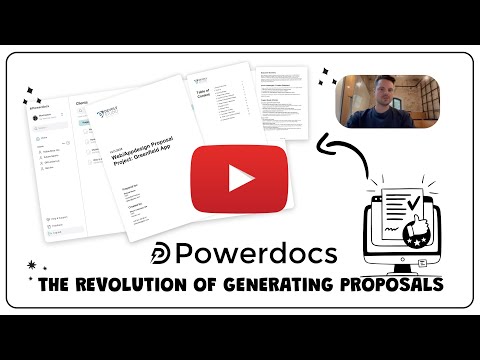
Simplify your workflow—generate proposals, quotes, and contracts with just one click using Powerdocs! Tired of manually creating proposals, quotes, or contracts every time you find a new project opportunity? Powerdocs revolutionizes how you apply for projects, tenders, or contracts on websites like Upwork, Freelancer, Fiverr, and beyond. With Powerdocs, you can instantly extract and convert project details into professionally formatted documents—ready to send to potential clients. No more copy-pasting or switching between tabs. Whether you’re a freelancer, consultant, or agency, Powerdocs saves valuable time and increases your chances of landing more clients. ✱ How does Powerdocs work? 1. Browse for opportunities on websites where clients post projects, tenders, or contract needs. 2. Click the Powerdocs extension icon when you find a project you’re interested in. 3. Automatically generate a document (proposal, quote, or contract) pre-filled with project details. 4. Customize and send your document with minimal effort. ✱ Key features of Powerdocs • Generate multiple document types: Proposals, quotes, and contracts are all supported. • Works on any website: Supports platforms like Upwork, Freelancer, and other websites where project details are displayed. • One-click document generation: No need to waste time copying and formatting project details. • Customizable templates: Use your own templates or select from built-in designs for a professional touch. • Increase productivity: Focus more on winning projects instead of preparing documents. ✱ Why install Powerdocs? 1. Save time: Automate repetitive tasks and get documents ready within seconds. 2. Improve accuracy: Ensure that project details are accurately captured and presented in your documents. 3. Boost professionalism: Create polished, client-ready documents without the hassle. 4. Stay organized: Quickly access generated documents and keep track of project applications. ✱ Who is Powerdocs for? • Freelancers applying for gigs on platforms like Upwork or Fiverr • Consultants responding to RFPs or public tenders • Agencies needing streamlined document generation • Businesses applying for contracts or submitting proposals regularly ✱ Examples of Powerdocs in use • You find a job posting on Upwork. Instead of manually writing a proposal, you click Powerdocs and instantly generate a proposal pre-filled with project details. • A new public tender is published on a government portal. Generate a quote or contract with the click of a button using Powerdocs. • Quickly draft contracts when a client accepts your proposal on a platform like Freelancer or Fiverr with Powerdocs. ✱ Installation & Setup 1. Click “Add to Chrome.” 2. Sign in and configure your templates (optional). 3. Start generating documents from any website with project details using Powerdocs! ✱ Security & Privacy We take your privacy seriously. Powerdocs does not store sensitive information and processes data locally on your machine. No third-party access is granted to your project details or generated documents. Stop wasting time on repetitive tasks—install Powerdocs now and streamline your project applications!
5 out of 51 rating
Details
- Version1.0.2
- UpdatedFebruary 21, 2025
- Size199KiB
- LanguagesEnglish
- DeveloperGavel IncWebsite
228 Park Ave S New York, NY 10003-1502 USEmail
hello@powerdocs.soPhone
+1 202-318-7552 - TraderThis developer has identified itself as a trader per the definition from the European Union and committed to only offer products or services that comply with EU laws.
- D-U-N-S119002609
Privacy

Powerdocs – AI-powered Business Docs has disclosed the following information regarding the collection and usage of your data. More detailed information can be found in the developer's privacy policy.
Powerdocs – AI-powered Business Docs handles the following:
This developer declares that your data is
- Not being sold to third parties, outside of the approved use cases
- Not being used or transferred for purposes that are unrelated to the item's core functionality
- Not being used or transferred to determine creditworthiness or for lending purposes
Support
For help with questions, suggestions, or problems, please open this page on your desktop browser