Item logo image for PostMini — Lightweight API Client

PostMini — Lightweight API Client

5.0(

1 rating

)
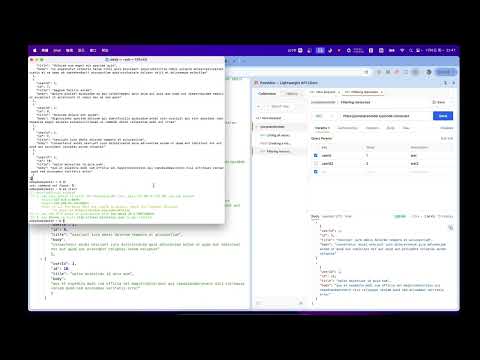
Item media 5 (screenshot) for PostMini — Lightweight API Client
Item media 1 (screenshot) for PostMini — Lightweight API Client
Item media 2 (screenshot) for PostMini — Lightweight API Client
Item media 3 (screenshot) for PostMini — Lightweight API Client
Item media 4 (screenshot) for PostMini — Lightweight API Client
Item media 5 (screenshot) for PostMini — Lightweight API Client
Item media 1 (screenshot) for PostMini — Lightweight API Client
Item media 2 (screenshot) for PostMini — Lightweight API Client
Item media 3 (screenshot) for PostMini — Lightweight API Client
Item media 4 (screenshot) for PostMini — Lightweight API Client
Item media 5 (screenshot) for PostMini — Lightweight API Client

Overview

Lightweight Postman alternative in Chrome Side Panel. Send REST requests, view responses, history & cURL export.

English PostMini is a lightweight API client for Chrome. Send HTTP requests from the Side Panel beside your docs — no desktop app, no account. Why PostMini - Side Panel (default), popup, or full tab — open how you work - No account — collections and history stay local on your device - Postman's core workflow without the weight Features - All common HTTP methods; params, auth (Basic, Bearer, API Key, OAuth2), headers, body - Body types: form-data, urlencoded, raw JSON/text, binary - Response viewer: status, timing, body, headers, raw - Projects, folders, multi-tab editor - Per-request and global history - Copy as cURL (includes proxy when enabled) - Export workspace as JSON - HTTP / HTTPS / SOCKS4 / SOCKS5 proxy with on-screen indicator - Configurable timeout and redirect following Built for frontend and full-stack developers who debug APIs while reading docs in the browser. Questions or feedback? Use the support link on this listing. 中文 PostMini 是 Chrome 里的轻量 API 客户端。在侧边栏里发 HTTP 请求,文档和调试并排 —— 无需桌面客户端,无需账号。 为什么选 PostMini - 侧边栏(默认)、弹窗或标签页,按你的工作方式打开 - 无需账号,集合与历史记录保存在本机 - 保留 Postman 核心流程,没有臃肿负担 功能 - 常用 HTTP 方法;Params、鉴权(Basic、Bearer、API Key、OAuth2)、Headers、Body - Body:form-data、urlencoded、Raw JSON/文本、二进制 - 响应:状态码、耗时、Body、Headers、Raw - 项目、文件夹、多标签编辑 - 单请求与全局历史记录 - 复制为 cURL(启用代理时包含 `--proxy`) - 导出工作区 JSON - HTTP / HTTPS / SOCKS4 / SOCKS5 代理,界面显示状态 - 可配置超时与是否跟随重定向 适合在浏览器里边看文档边调 API 的前端与全栈开发者。 有问题或建议?请通过商店页面的支持链接联系我。

Details

  • Version
    0.4.0
  • Updated
    July 3, 2026
  • Offered by
    zhangsanfeng
  • Size
    631KiB
  • Languages
    English (United States)
  • Developer
    Email
    hbnu001@gmail.com
  • Non-trader
    This developer has not identified itself as a trader. For consumers in the European Union, please note that consumer rights do not apply to contracts between you and this developer.

Privacy

Manage extensions and learn how they're being used in your organization
The developer has disclosed that it will not collect or use your data.

This developer declares that your data is

  • Not being sold to third parties, outside of the approved use cases
  • Not being used or transferred for purposes that are unrelated to the item's core functionality
  • Not being used or transferred to determine creditworthiness or for lending purposes

Support

Related

Header Relay

0.0

Capture HTTP response headers and relay fixed or captured headers to matching browser requests.

Copy Selected Tabs URLs

5.0

Copy URLs of selected Chrome tabs to clipboard

Network++

5.0

Enhanced Chrome DevTools network panel with powerful search, GraphQL insight, and export tools.

AgentsRoom Feedback

0.0

Send pages and elements straight to your active agents. File bugs, features and questions to a project backlog.

QuickCurl: REST API Client & cURL Testerr

5.0

Lightweight REST API testing tool. Build HTTP requests, inspect JSON responses, import OpenAPI, and generate cURL commands.

[Experiment] Edit and Resend: Ajax Request Debugger in Chrome DevTools

3.8

Enhance Chrome DevTools with a new tab. Edit and resend fetch() / XHR requests. Efficiently debug or test your web applications.

XApi HTTP Client - API Tool, Modify Header & Response

0.0

Intercept, debug, modify header & response, replay HTTP requests. Comprehensive API client & cURL support in Chrome DevTools.

ReloadScope - API Monitor & Network Tracker

5.0

Track, analyze & debug REST/JSON API requests. HTTP Network Inspector with session management, HAR export & request replay.

REST Client

4.9

Use Rest Client – your powerful REST API client tool for testing and debugging HTTP requests both online and locally in Chrome

PostMessage Inspector

5.0

Track and monitor postMessage communications between iframes and the main page.

Request Formatter for DevTools

0.0

Format HTTP request, response, and WebSocket payloads directly inside Chrome DevTools.

HTTP Interceptor

0.0

Intercept and modify HTTP requests & responses: URL redirects, headers, query params, and response body replacement.

Header Relay

0.0

Capture HTTP response headers and relay fixed or captured headers to matching browser requests.

Copy Selected Tabs URLs

5.0

Copy URLs of selected Chrome tabs to clipboard

Network++

5.0

Enhanced Chrome DevTools network panel with powerful search, GraphQL insight, and export tools.

AgentsRoom Feedback

0.0

Send pages and elements straight to your active agents. File bugs, features and questions to a project backlog.

QuickCurl: REST API Client & cURL Testerr

5.0

Lightweight REST API testing tool. Build HTTP requests, inspect JSON responses, import OpenAPI, and generate cURL commands.

[Experiment] Edit and Resend: Ajax Request Debugger in Chrome DevTools

3.8

Enhance Chrome DevTools with a new tab. Edit and resend fetch() / XHR requests. Efficiently debug or test your web applications.

XApi HTTP Client - API Tool, Modify Header & Response

0.0

Intercept, debug, modify header & response, replay HTTP requests. Comprehensive API client & cURL support in Chrome DevTools.

ReloadScope - API Monitor & Network Tracker

5.0

Track, analyze & debug REST/JSON API requests. HTTP Network Inspector with session management, HAR export & request replay.

Google apps