

PostMail – Email Open Tracker for Gmail & Outlook
Overview
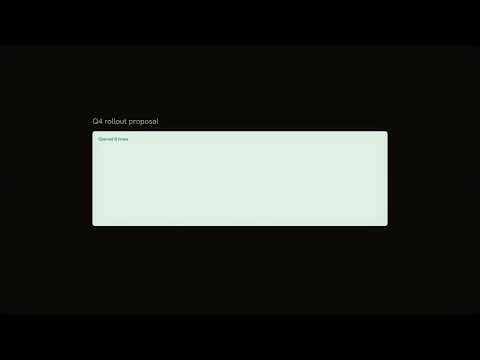
Know when your emails are opened. Real-time read receipts and open tracking for Gmail and Outlook.
PostMail – Email Open Tracker for Gmail & Outlook Know exactly when your emails are opened. PostMail gives you real-time read receipts for Gmail and Outlook Web — no extra steps, no buttons to click. ━━━━━━━━━━━━━━━━━━━━━━━━━━━━━━ HOW IT WORKS 1. Compose an email in Gmail or Outlook as you normally would. 2. Send it. 3. When the recipient opens your email, you're notified instantly. 4. View detailed open analytics on your PostMail dashboard. That's it. PostMail works silently in the background every time you compose. There's nothing to configure and nothing changes about how you write emails. ━━━━━━━━━━━━━━━━━━━━━━━━━━━━━━ KEY FEATURES - Real-Time Read Receipts: Get notified the moment your email is opened. No more wondering if your message was seen. - Gmail & Outlook Support: Works seamlessly with Gmail (mail.google.com) and all Outlook Web variants — Office 365, Outlook.com, and Outlook Live. - Open Count & History: See exactly how many times an email was opened, when each open occurred, and from which device or email client. - Device Detection: Each open event identifies the device and email client — so you know whether it was opened on a phone, desktop, or tablet. - Multi-Mailbox Support: Connect multiple Gmail and Outlook accounts. Track emails across all your mailboxes from a single dashboard. - Reply & Forward Tracking: Track opens not just on original emails, but on replies and forwards within a thread. Know when someone reads your reply, or when a forwarded copy gets opened. - Draft Detection: If you save an email as a draft instead of sending it, PostMail recognises this and marks the tracking status accordingly — no false positives. - Don't Track Option: Changed your mind? Click "Don't track" on the in-page notification before sending, and PostMail cancels tracking for that email entirely. - Dismiss False Opens: Email clients and preview panes can sometimes trigger false opens. Dismiss individual open events you don't consider genuine. - Tracking Toggle: Quickly enable or disable tracking globally from the extension popup — without uninstalling. ━━━━━━━━━━━━━━━━━━━━━━━━━━━━━━ THE POSTMAIL DASHBOARD Your PostMail account includes a full web dashboard at postmail.krishrp.xyz where you can: - Browse all your sent emails alongside their tracking status (tracked, untracked, opened, draft). - Click into any email thread to see the full conversation with per-message open data. - View a timeline of every open event with timestamps and device information. - Filter by mailbox when you have multiple accounts connected. - Manage your connected mailboxes and permissions. ━━━━━━━━━━━━━━━━━━━━━━━━━━━━━━ GETTING STARTED 1. Install the PostMail extension from the Chrome Web Store. 2. Visit postmail.krishrp.xyz and create a free account. 3. Once logged in, the extension automatically syncs your session. 4. Open Gmail or Outlook and start composing — tracking is active immediately. If you haven't signed in yet, PostMail displays a friendly banner on your email client reminding you to connect your account. Once connected, the banner disappears and tracking begins automatically. ━━━━━━━━━━━━━━━━━━━━━━━━━━━━━━ PRIVACY & SECURITY - PostMail only activates on Gmail and Outlook Web. It does not read your inbox, contacts, or any email content. - The extension only interacts with emails you compose. It never scans or accesses received emails. - Connected mailbox credentials are encrypted and stored securely. You can revoke access at any time from the dashboard. - Your data is isolated per account — no one else can see your tracked emails or open data. - Opens that occur before an email is delivered (triggered by email systems during sending) are automatically filtered out, so your data reflects genuine recipient activity. ━━━━━━━━━━━━━━━━━━━━━━━━━━━━━━ SUPPORTED PLATFORMS - Gmail (mail.google.com) - Outlook Web (outlook.office.com) - Outlook Live (outlook.live.com) - Outlook 365 (outlook.office365.com) ━━━━━━━━━━━━━━━━━━━━━━━━━━━━━━ USE CASES - Sales & Outreach: Know which prospects opened your proposal so you can follow up at the right time. - Job Applications: See if a recruiter or hiring manager has read your application email. - Client Communication: Confirm that important updates, invoices, or deliverables have been seen. - Freelancers: Track whether your quotes and project updates are being reviewed. - Personal: Simply know if your email was read — no more "did you get my message?" follow-ups. ━━━━━━━━━━━━━━━━━━━━━━━━━━━━━━ PERMISSIONS EXPLAINED PostMail requests only the minimum permissions needed: - Storage: To save your preferences locally in the extension. - Host access to Gmail & Outlook: To enable open tracking on your outgoing emails. - Host access to postmail.krishrp.xyz: To sync your login session between the dashboard and the extension. - Web Request Monitoring: To prevent your own email opens from being confused with your recipients email openings. PostMail does not request access to your browsing history, tabs, bookmarks, or any other browser data. ━━━━━━━━━━━━━━━━━━━━━━━━━━━━━━ SUPPORT Questions, bugs, or feature requests? Reach out at support.postmail@krishrp.xyz
0 out of 5No ratings
Details
- Version1.4.2
- UpdatedSeptember 28, 2026
- Offered by25 HOLDINGS
- Size27.77KiB
- LanguagesEnglish (United Kingdom)
- DeveloperKrish Rupesh Patel
44 Carr Road London UB5 4RA GBEmail
developer@krishrp.xyzPhone
+44 7470 166169 - TraderThis developer has identified itself as a trader per the definition from the European Union and committed to only offer products or services that comply with EU laws.
Privacy

PostMail – Email Open Tracker for Gmail & Outlook has disclosed the following information regarding the collection and usage of your data. More detailed information can be found in the developer's privacy policy.
PostMail – Email Open Tracker for Gmail & Outlook handles the following:
This developer declares that your data is
- Not being sold to third parties, outside of the approved use cases
- Not being used or transferred for purposes that are unrelated to the item's core functionality
- Not being used or transferred to determine creditworthiness or for lending purposes