

PortalX - Automate Site Onboard & Use
1 rating
)
Overview
Automate Site Onboard & Use
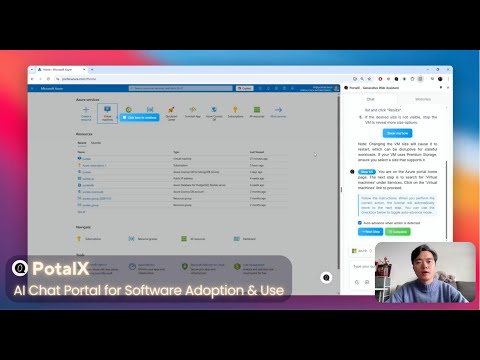
Introducing PortalX AI Software Assistant Chrome Plugin Beta! https://portalx.tech/ What PortalX Chrome Plugin Can Do For You 🔍 - Learn Any Web App: Automatically understands web applications you visit without needing documentation - Answer Your Questions: Ask anything about instant information search and use guidance for ANY software - Guided Assistance: Get step-by-step highlighted guidance to complete complex tasks How to Install the PortalX Chrome Plugin 🛠️ 1. Visit the Chrome Web Store: Search for "PortalX AI Assistant" or use our direct link [coming soon] 2. Click "Add to Chrome": Install the extension with one click 3. Pin for Easy Access: Click the puzzle piece icon in Chrome's toolbar, find PortalX, and pin it 4. Activate the Plugin: Click the PortalX icon to start using it on any website Getting Started After Installation 🏁 1. Navigate to any web application you need help with Click the PortalX icon in your toolbar 2. Allow the plugin to analyze the current page (takes just minutes) 3. Start asking questions or request guidance for specific tasks 4. Follow the highlighted instructions or watch as PortalX automates actions for you Beta Testing Notes 📝 This is an early beta release - your feedback is invaluable! Some complex web applications may have limited support Please report any issues through the feedback button in the plugin We're continuously improving - expect regular updates with new features Try PortalX today and experience the future of software assistance! 💫
5 out of 51 rating
Details
- Version1.4.1
- UpdatedMay 11, 2025
- Offered bydsh15325
- Size1.69MiB
- LanguagesEnglish
- Developer
Email
dsh15325@gmail.com - Non-traderThis developer has not identified itself as a trader. For consumers in the European Union, please note that consumer rights do not apply to contracts between you and this developer.
Privacy

PortalX - Automate Site Onboard & Use has disclosed the following information regarding the collection and usage of your data. More detailed information can be found in the developer's privacy policy.
PortalX - Automate Site Onboard & Use handles the following:
This developer declares that your data is
- Not being sold to third parties, outside of the approved use cases
- Not being used or transferred for purposes that are unrelated to the item's core functionality
- Not being used or transferred to determine creditworthiness or for lending purposes
Support
For help with questions, suggestions, or problems, please open this page on your desktop browser