


Visão geral
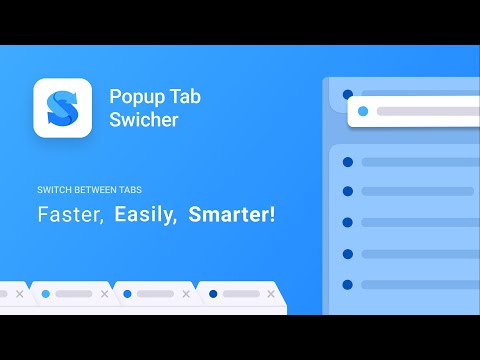
Makes switching between tabs more convenient.
The extension shows you a popup with last active tabs when you press its shortcut (Alt + Y by default). You cycle through them by holding Alt and pressing Y. By releasing the Alt key you switch to the chosen tab. This is like switching between apps in Windows (Alt + Tab) and in macOS (Cmd + Tab). Also, when you close an active tab, you will be placed to the previously active one. It is more helpful than the default Chrome's behaviour, which activates the nearest tab. You can delegate default switching between tabs by pressing Ctrl + Tab to the extension, see how https://github.com/dvdvdmt/popup-tab-switcher#replace-default-tab-switching-behaviour NOTE: The extension tries to render its popup on the page wherever it is possible, but there are cases where it can't do that: * Chrome's web store pages. The extension doesn't work here. * Special Chrome tabs such as Settings, New tab, History, etc. In this case the extension tries to switch a user from a special tab to a previous tab without showing a popup. * The page has no focus (a user searches on the page, focused on address bar, etc.). In this case the extension shows its popup and starts a timer by the end of which it will switch a user to the selected tab. * Files pages (URL starts with file:///). The extension can't work on such pages without a special permission which you can turn on in Extensions > Popup Tab Switcher (Details) > Allow access to file URLs. Source code on GitHub https://github.com/dvdvdmt/popup-tab-switcher
4,5 de 5131 notas
Detalhes
- Versão2024.2
- Atualização21 de julho de 2024
- Oferecido porDmitriy Davydov
- Tamanho249KiB
- IdiomasEnglish
- Desenvolvedor
E-mail
dvdvdmt@gmail.com - Não negocianteEsse desenvolvedor não se identificou como comerciante. Caso você seja da União Europeia, observe que os direitos do consumidor não se aplicam a contratos firmados entre você e esse desenvolvedor.
Privacidade
O desenvolvedor declara que seus dados
- Não são vendidos a terceiros, exceto nos casos de uso aprovados
- Não são usados ou transferidos para fins não relacionados à função principal do item
- Não são usados ou transferidos para informações de crédito ou empréstimo
Suporte
Para receber ajuda com perguntas, sugestões ou problemas, abra esta página no seu navegador para computador