

Pomocha — Pomodoro Timer & Productivity Tracker
3 ratings
)
Overview
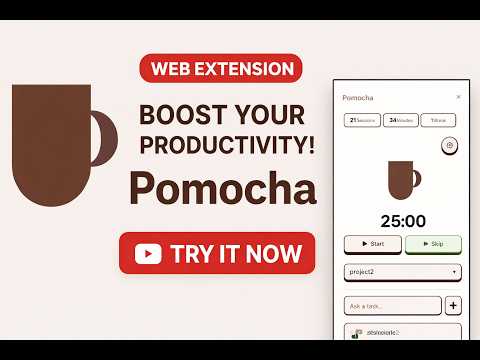
Boost your focus with Pomocha! A smart Pomodoro timer always visible in your browser. Track sessions, manage tasks & stay productive
Pomocha — Your always-on Pomodoro timer, right in your browser. Stop losing focus. Pomocha is a powerful Pomodoro timer extension that lives in your toolbar, giving you a clean, distraction-free countdown at a glance. It's the companion extension for pomocha.io — the gamified productivity app that makes deep work rewarding. Features: - Pomodoro Timer — Start, pause, and skip focus sessions and breaks directly from the popup. Customizable work and break durations to fit your flow. - Session Tracking — Every Pomodoro session is automatically recorded. See how many focus sessions you completed today with daily statistics. - Project & Task Management — Select a project and task before starting a session to organize your work and track time per project. - Smart Notifications — Get notified when your focus session ends or when your break is over, even if the browser is in the background. - Session Recap — Rate your focus quality at the end of each session to build better work habits over time. - Seamless Sync — Sign in with your email or Google account to sync your sessions with the Pomocha web app at pomocha.io. - To-Do List — Manage your tasks directly from the extension popup without switching tabs. - Sound Alerts — Optional sound notifications to keep you on track. - Minimal & Clean UI — A beautiful, lightweight interface designed to help you focus, not distract you. How it works: 1. Click the Pomocha icon in your toolbar 2. Choose a project and task (optional) 3. Hit Start and focus! 4. Get notified when it's time for a break 5. Review your daily stats and improve your productivity Pomocha is more than a timer — it's a reduced version of the full Pomocha platform (pomocha.io), your gamified productivity and work management app. Use the extension for quick Pomodoro sessions on the go, and the web app for in-depth analytics, streaks, and achievements. Privacy-first: Your data is only sent to the Pomocha API (api.pomocha.io) for session tracking. No browsing data is collected, stored, or shared with third parties. Start your first Pomodoro now and take control of your time!
5 out of 53 ratings
Details
- Version1.0.5
- UpdatedMarch 25, 2026
- Offered bypierr611
- Size713KiB
- LanguagesEnglish
- Developer
Email
pierr611@gmail.com - Non-traderThis developer has not identified itself as a trader. For consumers in the European Union, please note that consumer rights do not apply to contracts between you and this developer.
Privacy

This developer declares that your data is
- Not being sold to third parties, outside of the approved use cases
- Not being used or transferred for purposes that are unrelated to the item's core functionality
- Not being used or transferred to determine creditworthiness or for lending purposes