

Overview
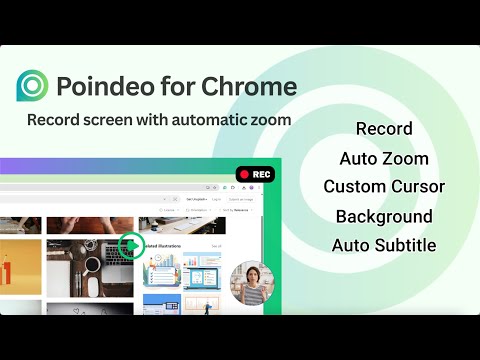
Record your screen with auto-zoom, making polished, highlighted shots that capture your audience's attention.
🎥 Poindeo enables users to record a screen with automatic zoom and pan effects, then trim, add subtitles, and finalize the recording. ✨ KEY FEATURES • Record your screen, camera, microphone, and internal audio. • Get automatic, smooth zooms on your mouse clicks as you record. • Edit zoom level and position, add effects by clicking on the canvas, or delete ones on the timeline. • Upload and combine images, PDFs, and existing video files with your recordings. • Enhance videos with background music, automated subtitles, watermarks, and more. • Download your creation as a video, a single image, or an animated GIF. 🔴 Record Screen with Auto Zoom • Record your screen and automatically zoom in on your mouse clicks to focus your audience's attention. This makes it easy to demonstrate how a workflow works or create polished and professional tutorials. • Support recording the whole screen, an application window, or a browser tab. 🔍 Customizable Zooms • Dynamic zooms are created automatically as you click. • Customize any zoom by changing its position mode (follow cursor or fixed), adjusting the zoom level and duration, or even adding text descriptions that appear during the effect. • Add new zoom effects by clicking the mouse on the canvas or delete existing ones directly on the timeline. 🚀 More Than a Recorder • Except for screen recording, you can drag and drop existing video clips, upload screenshots or images, or import a PDF. • Continue narrating on a static document for explainer videos. Everything can be arranged on the same timeline. Export individually or in one video. 🎨 Polish Your Work • Background: Choose a preset background that fits your style or upload your own. • Audio: Choose from a library of background music or upload a local audio file. • Subtitles: Generate subtitles with just one click and edit the text or style. • Branding: Add branding logo or text as a watermark. • Format: Choose a suitable aspect ratio for different social media platforms. • Export: Export as a high-quality MP4 video, a GIF, or a single frame image. 💡 USE CASES • Create product demos and software tutorials that highlight key features and steps. • Upload a PDF or screenshot, then add a voiceover that zooms into key details as you speak. • Combine screen recordings, video clips, and images to build comprehensive lessons. • Quickly resize your videos for YouTube, TikTok, and Instagram, add your brand watermark, and export as a video or a shareable GIF. ℹ️ ABOUT POINDEO Poindeo is the online video editor that powers this extension. It enables content creation to be fast, intuitive, and accessible. Whether you start with a screen recording or upload existing videos, images, or PDFs, this simple editor provides the rich tools you need for creating professional videos in minutes.
4.5 out of 58 ratings
Details
- Version1.1.1
- UpdatedSeptember 22, 2026
- Size318KiB
- Languages7 languages
- DeveloperWebsite
Email
contact@poindeo.com - Non-traderThis developer has not identified itself as a trader. For consumers in the European Union, please note that consumer rights do not apply to contracts between you and this developer.
Privacy

Poindeo - Record Screen with Auto Zoom has disclosed the following information regarding the collection and usage of your data. More detailed information can be found in the developer's privacy policy.
Poindeo - Record Screen with Auto Zoom handles the following:
This developer declares that your data is
- Not being sold to third parties, outside of the approved use cases
- Not being used or transferred for purposes that are unrelated to the item's core functionality
- Not being used or transferred to determine creditworthiness or for lending purposes
Support
For help with questions, suggestions, or problems, please open this page on your desktop browser