


Overview
See how your website turns visitors into meetings. View Darwin page analytics, traffic sources and experiments as you browse.
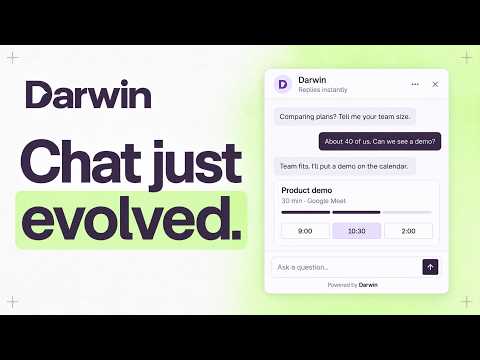
Darwin is AI website chat that learns your business, answers visitors’ questions and helps them book meetings. Darwin keeps testing its opening messages to learn what starts more conversations and bookings. The Chrome companion puts your Darwin results and opening experiments beside the page you’re looking at. SEE YOUR PAGE’S RESULTS Connect your Darwin workspace to see visitors, conversations, leads and meetings for the current page. Compare traffic sources with recognizable source logos and choose a 7, 14, 30 or 90-day period. Results follow you as you move between pages, while your workspace stays connected. Outcomes belong to sessions that visited the page and may happen later elsewhere, so page totals can overlap. MANAGE EXPERIMENTS IN CONTEXT Inspect the current opening and applicable page or shared tests. Compare variants, write a new opening and review a page-specific experiment before launching it. Owners and admins can launch, pause and resume tests; members can read results. Every live change shows its scope before confirmation. Live launches require an active Darwin workspace. DESIGNED TO FEEL LIKE DARWIN The sidebar uses the same typography, controls and traffic-source logos as the Darwin app. Loading placeholders keep page changes steady. Optional internal-visit exclusion helps keep your own visits out of new results. YOU CHOOSE WHEN IT CAN SEE A PAGE Click Darwin in Chrome’s toolbar to grant temporary access to the current site. Page titles and headings stay in your browser. Connected results send only the page origin and path to Darwin, without URL query strings or fragments. The extension does not collect your browsing history, sell data, or store your Darwin password or login cookies. A Darwin account and a website configured in your workspace are required. Keep the Darwin connection tab open while using the extension. Visitor results require Darwin to be installed on your site. The Chrome extension manages results and opening experiments; Darwin’s full AI conversation and booking experience runs through the chat installed on your website.
0 out of 5No ratings
Details
- Version0.1.1
- UpdatedOctober 10, 2026
- Size188KiB
- LanguagesEnglish
- DeveloperWebsite
Email
ari@meetdarwin.ai - Non-traderThis developer has not identified itself as a trader. For consumers in the European Union, please note that consumer rights do not apply to contracts between you and this developer.
Privacy

Darwin AI Website Chat has disclosed the following information regarding the collection and usage of your data. More detailed information can be found in the developer's privacy policy.
Darwin AI Website Chat handles the following:
This developer declares that your data is
- Not being sold to third parties, outside of the approved use cases
- Not being used or transferred for purposes that are unrelated to the item's core functionality
- Not being used or transferred to determine creditworthiness or for lending purposes
Support
For help with questions, suggestions, or problems, visit the developer's support site