

ChatGPT to PDF, Word, Markdown & Google Docs: Export & Save Chats

Overview
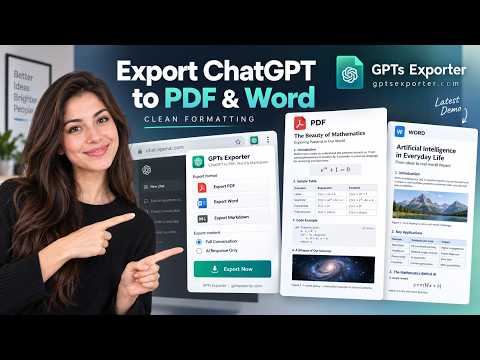
Export ChatGPT chats to PDF, Word, Markdown or Google Docs in one click. Keeps code, tables, math and images. Free to start.
Export ChatGPT chats to PDF, Word, Markdown or Google Docs in one click, or save them straight to Google Drive. Code blocks, tables, math equations (LaTeX) and images come out the way they look on ChatGPT. ✅ Save ChatGPT conversations as PDF, Word (.docx), Markdown (.md) or Google Docs ✅ Save exported files directly to Google Drive ✅ Keeps code syntax, tables, LaTeX math and images ✅ Export long chats: the whole conversation or only the messages you pick ✅ Free to start: Markdown is unlimited, and Google Docs and Drive are included 🛠️ Key features 👉 A "Save as" button on every ChatGPT chat, plus a toolbar popup 👉 Choose what to include: the whole conversation, only ChatGPT's answers, or questions and answers 👉 "Select individual messages" to export just the part you need 👉 Table of contents for long chats, adjustable font size, the chat's title on top 👉 PDF and Word themes (Pro) 👉 Attach files from Google Drive to ChatGPT (free ChatGPT plan): PDFs, Docs, Sheets and images, with no downloading and re-uploading 👉 Works with shared chats and temporary chats 👉 In English, German, Spanish, French, Japanese, Korean, Portuguese and Chinese ⚙️ How it works 1. Open a ChatGPT conversation 2. Click "Save as" on the chat, or the extension icon 3. Choose PDF, Word, Markdown or Google Docs 4. Your file downloads, or opens in Google Drive 🔒 Privacy First & Secure Your chat is sent over HTTPS for processing only, and deleted immediately after your file is generated. We never store, read, or sell your conversations. 💬 FAQ Q: How do I save a ChatGPT chat as a PDF? A: Open the chat, click "Save as" and choose PDF. Code, tables, math and images keep their layout. Q: How do I convert ChatGPT to Microsoft Word? A: Choose Word to download an editable .docx file, or Google Docs to open it in your Google Drive. Q: Can I export only part of a chat? A: Yes. Turn on "Select individual messages", tick the messages you want, then choose a format. Q: Is it free? A: Yes, to start. The free version includes 5 exports a week, unlimited Markdown, and Google Docs and Drive with a Google login. Pro removes the weekly limit and adds themes. Q: How do I attach a Google Drive file to ChatGPT? A: On ChatGPT's free plan, open the + menu in the message box, choose "Add From Drive" and pick your files. They are attached with no download needed. ⭐ Trusted by thousands Thousands of people use ChatGPT to PDF to archive, share and print their ChatGPT conversations.
4.7 out of 562 ratings
Details
- Version2.4.11
- UpdatedNovember 2, 2026
- FeaturesOffers in-app purchases
- Size130KiB
- Languages8 languages
- Developer
- Non-traderThis developer has not identified itself as a trader. For consumers in the European Union, please note that consumer rights do not apply to contracts between you and this developer.
Privacy

ChatGPT to PDF, Word, Markdown & Google Docs: Export & Save Chats has disclosed the following information regarding the collection and usage of your data. More detailed information can be found in the developer's privacy policy.
ChatGPT to PDF, Word, Markdown & Google Docs: Export & Save Chats handles the following:
This developer declares that your data is
- Not being sold to third parties, outside of the approved use cases
- Not being used or transferred for purposes that are unrelated to the item's core functionality
- Not being used or transferred to determine creditworthiness or for lending purposes
Support
For help with questions, suggestions, or problems, visit the developer's support site