

Pocket PM

Overview
Carry a ChatGPT, Claude or Gemini conversation into another AI with its context intact — no API key.
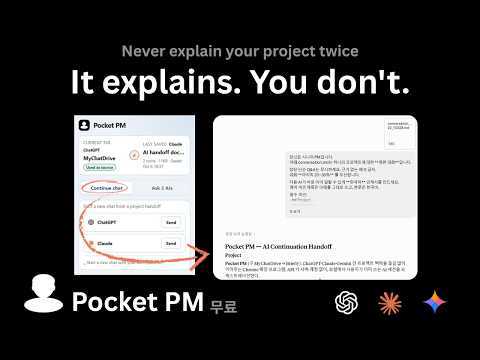
Pocket PM is a Chrome extension that carries a ChatGPT · Claude · Gemini conversation over to another AI — inside your own browser, with no API key. [What it does] • Continue chat — attaches the conversation you are looking at as a file, adds the handoff prompt, and picks the work up in a new ChatGPT or Claude chat with the context intact. • Start a new chat with your own question — attaches the conversation file without the handoff prompt, so you can write your own question and start a new chat in ChatGPT, Claude or Gemini. • Ask 3 AIs — sends the same question to ChatGPT · Claude · Gemini at once and lays the three answers out as common ground, differences and contradictions. If one of them could not answer, it tells you why. • Automatic local saving — every time you send, the conversation as it stands is written to a Markdown file in your Downloads folder, under Pocket PM. There is no save button to press. • Carry on from the last saved conversation — in an empty new chat, press "Use this one" to send the conversation you saved most recently. • Sign-in check — if you are not signed in to the AI you are sending to, Pocket PM tells you before it attaches the file, and continues on its own once you have signed in. • Browser-language interface — the extension's screens and the instruction it sends to the AI follow your browser language (English, Korean, Japanese, Spanish). What the AI writes back follows what you asked in: the handoff takes the conversation's language, and Ask 3 AIs and its report take the question's. [Who it is for] • Anyone who has built up a long project context in one AI and does not want to explain it again from scratch in another. • Anyone who wants several AIs' views side by side before making a decision. [Privacy] Your conversations are never sent to a Pocket PM server. Pocket PM has no server; the data stays in your browser's local storage and in your Downloads folder. Only when you click the occasional feedback link in the popup are a random anonymous identifier and a usage count passed to the survey page. No conversation content is included. The guide page that opens right after installation counts anonymous visits without cookies, and records an answer only if you press a button on that page. No conversation content is included. [Before you start] • Installing opens a guide page once. It covers pinning Pocket PM to the toolbar and your first run. • Stay signed in to ChatGPT · Claude · Gemini. Ask 3 AIs in particular sends to all three without a sign-in check, so sign in to all of them first. • If the current tab has no conversation, both features are locked. Use a tab that has one, or press "Use this one" to bring in the last saved conversation. • It works only on those AI sites. If you hit a service's usage limit, the attachment or the answer may fail.
0 out of 5No ratings
Details
- Version0.8.2
- UpdatedOctober 7, 2026
- Offered byHyojin Kim
- Size202KiB
- Languages4 languages
- Developer
Email
chulr999@gmail.com - Non-traderThis developer has not identified itself as a trader. For consumers in the European Union, please note that consumer rights do not apply to contracts between you and this developer.
Privacy

Pocket PM has disclosed the following information regarding the collection and usage of your data. More detailed information can be found in the developer's privacy policy.
Pocket PM handles the following:
This developer declares that your data is
- Not being sold to third parties, outside of the approved use cases
- Not being used or transferred for purposes that are unrelated to the item's core functionality
- Not being used or transferred to determine creditworthiness or for lending purposes
Support
For help with questions, suggestions, or problems, visit the developer's support site