


Overview
Copy Grades from Google Classroom, Canvas, Spreadsheets and many others to Powerschool TAC, PowerTeacher, or Canvas
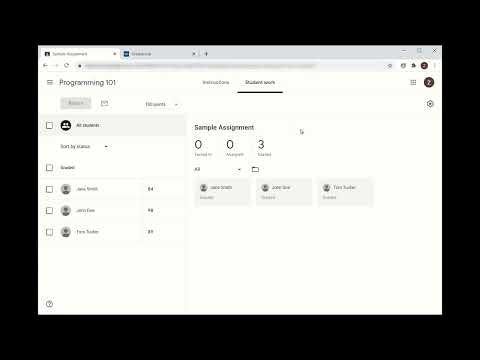
GradeGrabber copies grades from Google Classroom, Canvas, and other learning platforms into your gradebook in PowerSchool PowerTeacher Pro, eSchoolPLUS Teacher Access Center (TAC), or Canvas. Stop retyping grades and save hours every grading period. HOW IT WORKS 1. Open an assignment's grades and click Grab in the extension. 2. Open your gradebook, click a grade in the assignment's column, and click Enter. GradeGrabber matches students by name and enters every grade for you. FEATURES - Name mapping: fix any names that don't match automatically between systems. - Grade scaling: convert grades when the two gradebooks use different scales. - Missing and late work: flag missing or late assignments, or give missing work a default score. - Minimum score override: set the lowest grade that will be entered. - Overwrite control: choose whether existing gradebook grades are replaced. - Retest Mode: a retest only replaces a lower grade, up to a cap you set. - Spreadsheets: paste grades copied from a spreadsheet, or copy grabbed grades back into one. PRIVATE AND SECURE Student data never leaves your computer. Grades are encrypted and stored only in your browser. Free 7-day trial. See the full list of supported platforms and school pricing at gradegrabber.net.
4.3 out of 56 ratings
Details
- Version1.2.21
- UpdatedNovember 18, 2026
- Size429KiB
- LanguagesEnglish (United States)
- DeveloperIdeal Technology SolutionsWebsite
10725 Coeburn Mountain Road Wise, VA 24293 USEmail
support@gradegrabber.netPhone
+1 276-219-7604 - TraderThis developer has identified itself as a trader per the definition from the European Union and committed to only offer products or services that comply with EU laws.
Privacy

This developer declares that your data is
- Not being sold to third parties, outside of the approved use cases
- Not being used or transferred for purposes that are unrelated to the item's core functionality
- Not being used or transferred to determine creditworthiness or for lending purposes