

Clip2Notion

Overview
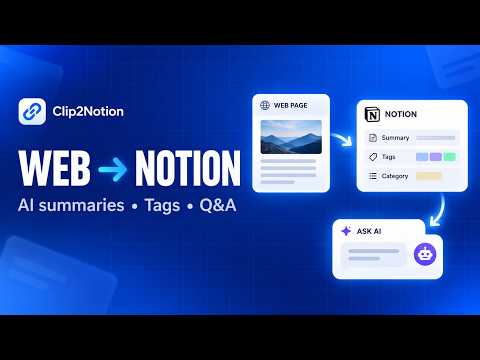
Clip web pages to Notion with AI summaries, tags, categories, and Q&A. Use BYOK or hosted AI with free usage included.
Clip2Notion is an AI-powered web clipper for saving and organizing useful web content in your own Notion database. Save articles, documentation, research, and other webpages without manually copying content or writing summaries. Clip2Notion can generate a summary, tags, and a category before saving the result to Notion. You can review the generated content before it is saved. Key features • Clip webpages directly to Notion • Generate summaries with AI • Generate tags and categories automatically • Choose your own Notion database • Configure which database properties Clip2Notion uses • View previously saved clips in History • Ask AI questions about a saved clip • Use your own AI API key with BYOK • Use hosted AI without configuring a personal API key • English and Simplified Chinese interface Ask about saved clips Saving a useful page is often only the first step. From History, you can reopen a saved clip and ask questions about its content. For example, you can ask Clip2Notion to summarize the page again, extract key points, explain specific details, or answer your own question. This makes it easier to revisit information without having to read the entire page again. How it works Connect your Notion workspace. Select the database you want to use. Configure the properties Clip2Notion should fill. Open a webpage and launch Clip2Notion. Generate a summary, tags, and category. Review the result and save it to Notion. Open saved clips from History whenever you want to ask additional questions. AI options Bring Your Own Key (BYOK) You can configure a supported personal AI API key and use your own provider for AI features. Hosted AI If you prefer not to configure your own API key, Clip2Notion also provides hosted AI. Free hosted usage is included to help you get started. Additional usage can be purchased when the included usage has been used. Flexible Notion setup Clip2Notion does not require a fixed database template. You can select an existing Notion database and configure the properties you want the extension to use. Language support The interface currently supports English and Simplified Chinese, and the display language can be changed in settings. Capture it. Organize it. Save it. Ask about it later.
0 out of 5No ratings
Details
- Version1.0.4
- UpdatedSeptember 14, 2026
- Offered bySovelyX
- Size268KiB
- Languages2 languages
- Developer深圳市安智信创科技有限公司
福田区福田街道福山社区滨河大道5022号联合广场A座4410W74 深圳市, 广东省 518000 CNEmail
service@sovelyx.comPhone
+86 189 2608 2558 - TraderThis developer has identified itself as a trader per the definition from the European Union and committed to only offer products or services that comply with EU laws.
- D-U-N-S457813631
Privacy

Clip2Notion has disclosed the following information regarding the collection and usage of your data. More detailed information can be found in the developer's privacy policy.
Clip2Notion handles the following:
This developer declares that your data is
- Not being sold to third parties, outside of the approved use cases
- Not being used or transferred for purposes that are unrelated to the item's core functionality
- Not being used or transferred to determine creditworthiness or for lending purposes
Support
For help with questions, suggestions, or problems, visit the developer's support site