


Overview
Inspect spacing, margins, alignment, and responsive layouts on any website or design tool.
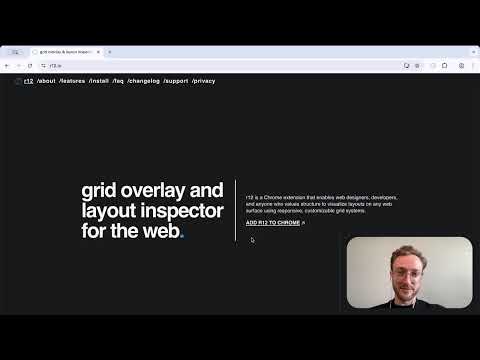
▔▔▔▔▔▔▔▔▔▔▔▔▔▔ r12 is a precision grid overlay for anyone who values structure — from web designers and developers to creatives and professionals. Activate it with a single click to visualize 12-column, modular, baseline or rule-of-thirds systems directly on websites, documents, design tools or even your resume. Built around clarity, order, and usability. ▔▔▔▔▔▔▔▔▔▔▔▔▔▔ ⊞ GRID OVERLAYS ▪︎ Classic Guides — 12-column, rule-of-thirds, modular, baseline and center lines. ▪︎ Columns & Rows — customizable, responsive grids for any layout. ▪︎ Device Presets — mobile, tablet, laptop, desktop. ▪︎ Gutter Control — adjust inner and outer gutters independently. ⧉ RESPONSIVE MODE ▪︎ Each preset automatically adjusts columns, rows, gutters, and margins. ▪︎ Switch between mobile, tablet, laptop, and desktop layouts. ▪︎ Adjust breakpoint widths for each device. ▪︎ Preview responsive layouts instantly. ⇥ MARGIN CONTROL ⇤ ▪︎ Linked / Unlinked Margins — control spacing uniformly or adjust sides independently. ▪︎ Position grids anywhere — align over resumes, portfolios, design tools, or websites. ▪︎ Outer Gutter Toggle — switch between margin-based or gutter-based edges. ▪︎ Responsive Margins — adapt automatically to device presets. ⌖ PRECISION CONTROLS ▪︎ Drag sliders to quickly set grid values. ▪︎ Use arrow keys for precise adjustments. ▪︎ Contrast Control — adjust color, opacity, and line weight. ▪︎ Live Preview — see changes instantly as you adjust settings. ⛭ PERFORMANCE & PRIVACY ▪︎ Works anywhere — on design tools, web apps, or static pages. ▪︎ State Memory — all controls are synced to browser storage. ▪︎ Lightweight overlays — zero impact on performance. ▪︎ No analytics, cookies, or data collection — ever. ▔▔▔▔▔▔▔▔▔▔▔▔▔▔ ⌘ HOW TO USE ↳ Add r12 to Chrome and pin it to your toolbar. ↳ Click the r12 globe icon. ↳ Adjust columns, gutters, and margins from the popup. ↳ Use Responsive Mode to preview grids across devices. ↳ Review your layouts. ▔▔▔▔▔▔▔▔▔▔▔▔▔▔ ❖ FAQ ▪︎. If grids are not visible, refresh the page or restart the browser. ▪︎. Saves local preferences (grid, margins, color) — no personal data collected. ▪︎ Works on all websites and web-based design tools (e.g., Figma, Canva, Notion). ▪︎ Supports both light and dark modes. ▪︎ Free to use. ▔▔▔▔▔▔▔▔▔▔▔▔▔▔ ⁂ GRID FOUNDATIONS ▪︎ Figma — Layout Grids ⤏ figma.com/best-practices/everything-you-need-to-know-about-layout-grids/ ▪︎ Google — Material Design Layout ⤏ m3.material.io/foundations/layout/understanding-layout ▪︎ Design Lab — History & Theory ⤏ designlab.com/blog/grid-systems-history-ux-ui-layout ▔▔▔▔▔▔▔▔▔▔▔▔▔▔ Questions or feedback? 💌 r12.grids@gmail.com Changelog: r12.io/changelog ▔▔▔▔▔▔▔▔▔▔▔▔▔▔
0 out of 5No ratings
Details
- Version0.2.4
- UpdatedJanuary 25, 2026
- Size38.35KiB
- LanguagesEnglish
- DeveloperWebsite
Email
r12.grids@gmail.com - Non-traderThis developer has not identified itself as a trader. For consumers in the European Union, please note that consumer rights do not apply to contracts between you and this developer.
Privacy

This developer declares that your data is
- Not being sold to third parties, outside of the approved use cases
- Not being used or transferred for purposes that are unrelated to the item's core functionality
- Not being used or transferred to determine creditworthiness or for lending purposes
Support
For help with questions, suggestions, or problems, please open this page on your desktop browser