

Desk Pet

Overview
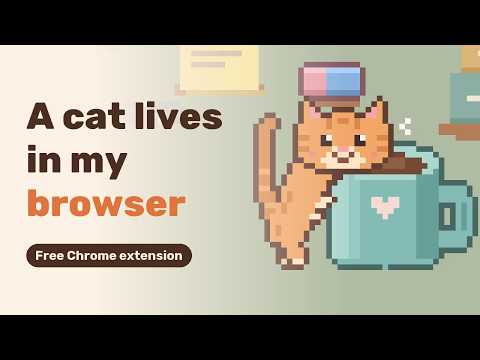
A tiny pixel cat lives on a cozy desk in your side panel. It naps, climbs and visits your mug. Works offline, collects no data.
Desk Pet puts a tiny pixel cat on a cozy desk in Chrome's side panel. It gets on with its day while you get on with yours. Glance over and it might be napping on the cushion, peeking into your coffee mug, or curled up in the basket on the top shelf. It isn't a game. There's no score, no hunger meter and nothing that needs you. It's more like a fish tank or a desk toy: something small and alive in the corner of your screen. What the cat gets up to: - Naps, stretches, yawns and kneads its cushion - Climbs the wall shelves all the way up to its basket - Peeks into your mug and sometimes comes out with foam on its nose - Sits on the warm laptop, especially while you're away - Swats the sticky note off the screen now and then Ways to say hello: - Rest your cursor on the cat and it turns to look at you - Click it for a happy wiggle and a few hearts - Drop a treat with the cookie button and watch it eat Pop it out: click the pin and the cat moves into a small window of its own. From there, Float keeps it on top of your other windows, over any tab. Close the window and it walks back into the side panel. It follows your local time. After dark the room dims, the lamp comes on, the fairy lights twinkle and the cat gets sleepier. Calm mode means less zooming about and fewer things knocked off the desk. It's on already if your system asks for reduced motion. You can also pick a 2x or 3x size and hide the treat button. Private and offline: Desk Pet collects no data and sends nothing anywhere. There are no accounts, no ads and no analytics. Everything is drawn on your computer, and the pet's state is saved in Chrome's local storage, so it works with no connection at all. Desk Pet is free and made by stringmash. Help: https://stringmash.com/desk-pet/help/ Ideas and bug reports: hello@stringmash.com
0 out of 5No ratings
Details
- Version0.1.1
- UpdatedNovember 21, 2026
- Offered byStringmash
- Size255KiB
- LanguagesEnglish (United States)
- Developer
Email
hello@stringmash.com - Non-traderThis developer has not identified itself as a trader. For consumers in the European Union, please note that consumer rights do not apply to contracts between you and this developer.
Privacy

This developer declares that your data is
- Not being sold to third parties, outside of the approved use cases
- Not being used or transferred for purposes that are unrelated to the item's core functionality
- Not being used or transferred to determine creditworthiness or for lending purposes
Support
For help with questions, suggestions, or problems, visit the developer's support site