

Plus: Live screenshots of any app or website

Descripción general
Capture, share and save data with live screenshots of any app or website.
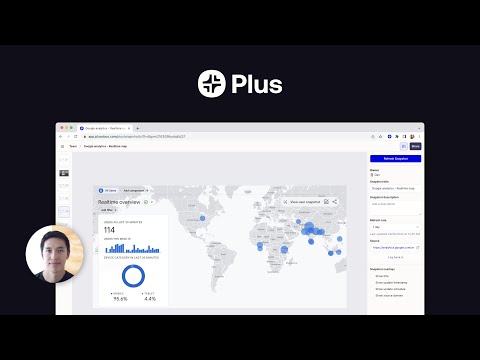
Plus is the easiest way to bring all of your data wherever you need it, and makes any integration as simple and intuitive as taking and sharing a screenshot. Plus New Tab: Pin live Snapshots to your new tab view to effortlessly keep an eye on the latest data. Now you always have an up-to-date view of everything you need to know every time you open a new tab. How it works: 1. Take screenshots of the websites, apps and dashboards that you and your team want to stay updated on. 2. Choose how often Plus should automatically update the snapshots. 3. Embed the screen grabs in the productivity tools you use every day to create one unified view of all your data. 4. Share the consolidated data with your team or clients. You can also use the Slack integration to automatically share up-to-date screenshots with your team. 5. Pin the screenshots that are most important to you in Plus’s new tab extension to get a live feed of all your snapshots whenever you open a new tab. Features: • Always fresh data: Our automated screenshots ensure that your data is always up-to-date • Plus New Tab: Stay updated on the latest data by pinning Snapshots to your new tab view. • Version history - keep track of historical versions of all of your snapshots • Embed anywhere - use your screen grabs in all of your favorite tools • Share links - easily share data by linking to automated screenshots • Build pages - build custom pages by bringing together live screenshots within Plus or your favorite productivity tool Key use cases: • Build no code dashboards - combine automated snapshots within productivity tools to create dashboards from different data sources • Automated metrics reporting - use our Slack integration to automatically share metrics with your team via up-to-date screenshots • Share data with clients - report key metrics to clients without the need to share logins • Create a data library for your team - save automated snapshots of all your team’s key dashboards in one place Most popular integrations: • Collaboration: Notion, Slack, Confluence, Coda, Slite, Obsidian. • Presentation: Google Slides, Canva, Tome, Fermat. Plus is the fastest way to build dashboards, share data, and automate reports. All without the need for any complicated technical integrations. About Plus: At Plus, we’re building an easier way to capture, see, and share information across different sources. Modern companies use hundreds of apps to get work done. We help teams move faster by making it easy to capture and share their most important information. Plus is the easiest way to bring all of your team’s data wherever you need it. Our goal is to make any data integration as simple and intuitive as sharing a screenshot.
3.7 de 524 calificaciones
Detalles
- Versión4.9.1
- Fecha de actualización26 de mayo de 2023
- FuncionesOfrece compras directas desde la aplicación
- Tamaño3.69MiB
- IdiomasEnglish
- DesarrolladorPlus Docs IncSitio web
113 Cherry St PMB 86703 Seattle, WA 98104-2205 USCorreo electrónico
support@plusdocs.comTeléfono
+1 206-317-4481 - ComercianteEste desarrollador se identificó como comerciante de acuerdo con la definición de la Unión Europea y se comprometió a ofrecer solo productos o servicios que cumplan con las leyes de la UE.
- D-U-N-S119294646
Privacidad

Plus: Live screenshots of any app or website divulgó la siguiente información sobre la recopilación y el uso de tus datos. En la privacy policy del desarrollador, encontrarás más información.
Plus: Live screenshots of any app or website controla lo siguiente:
Este desarrollador declara el siguiente tratamiento de tus datos:
- No se venden a terceros, excepto en los casos de uso aprobados
- No se utilizan ni transfieren para fines no relacionados con la funcionalidad principal del elemento
- No se utilizan ni transfieren para determinar tu solvencia ni ofrecer préstamos
Asistencia
Si tienes preguntas, sugerencias o problemas, visita el sitio de asistencia del desarrollador