

Plurk Style Previewer

Overview
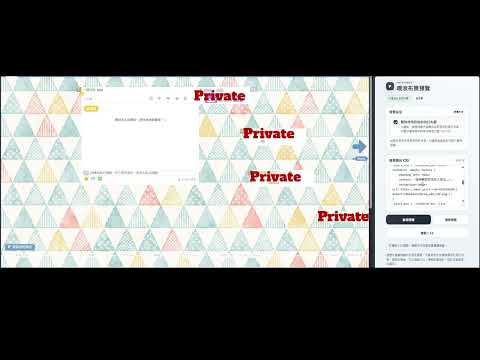
直接在噗浪頁面預覽自訂 CSS 效果,不會修改目前儲存的布景設定。
想調整噗浪布景,卻不想每改一點 CSS 就得重新儲存、重新整理頁面? Plurk Style Previewer 讓你直接在噗浪預覽 CSS 的修改效果! 只要開啟 Chrome 側邊欄,貼上想測試的 CSS,按下「套用預覽」,就能立即查看字型、配色、背景與版面等調整效果。 所有預覽都只會暫時套用在目前頁面,不會修改你原本儲存在噗浪的自訂布景。可以放心嘗試不同的設計! 【主要功能】 ・即時預覽 CSS 輸入或貼上 CSS,按下「套用預覽」,就能在目前噗浪頁面查看效果,不必反覆儲存布景。 ・自由切換預覽方式 可以選擇將 CSS 疊加在目前布景上,或暫時停用原本的自訂布景,從噗浪基本樣式開始調整。 ・一鍵清除預覽 隨時移除目前套用的預覽效果,不會清空正在編輯的 CSS 草稿。 ・自動保存草稿 輸入的 CSS 會保存在本機,關閉工具後重新開啟,也能接著上次的進度繼續編輯。 ・方便複製 CSS 調整完成後,可以直接複製 CSS,再自行貼到噗浪的「自訂布景風格」中正式儲存。 【使用方式】 開啟噗浪頁面,點擊擴充功能圖示,開啟側邊欄。 輸入或貼上想預覽的 CSS。 選擇要保留目前布景,或暫時切換成噗浪基本樣式。 按下「套用預覽」,查看調整效果! 如果想恢復原本的畫面,只要重新整理噗浪頁面即可。 重新整理後,預覽效果會消失,暫時停用自訂布景的選項也會取消,但 CSS 草稿仍會保留。需要再次按下「套用預覽」才會重新生效。 【資料與隱私】 ・CSS 草稿只會儲存在你的瀏覽器本機,不會上傳給開發者。 ・本工具不含廣告、使用行為追蹤或 AI 服務。 ・不會主動讀取剪貼簿內容。 ・如果 CSS 使用了外部圖片、字型或其他資源,瀏覽器仍可能向相關網站發出請求。 【使用前請留意】 ・本工具需要自行撰寫或貼上 CSS,不提供視覺化編輯器或 CSS 語法檢查。 ・修改 CSS 後,需要再次點擊「套用預覽」才能更新效果。 ・部分 CSS 效果可能受到噗浪頁面結構或瀏覽器安全政策限制。 ・本工具僅供預覽使用,不會自動修改或儲存噗浪的布景設定。 ・本工具為第三方開發的擴充功能,並非噗浪官方產品。 希望這個小工具能讓調整噗浪布景變得更方便,也讓大家可以更自由地嘗試喜歡的風格!
0 out of 5No ratings
Details
- Version1.0.0
- UpdatedNovember 5, 2026
- Offered bythreeoclocktest
- Size17.78KiB
- Languages中文(台灣)
- Developer
Email
threeoclocktest@gmail.com - Non-traderThis developer has not identified itself as a trader. For consumers in the European Union, please note that consumer rights do not apply to contracts between you and this developer.
Privacy

Plurk Style Previewer has disclosed the following information regarding the collection and usage of your data. More detailed information can be found in the developer's privacy policy.
Plurk Style Previewer handles the following:
This developer declares that your data is
- Not being sold to third parties, outside of the approved use cases
- Not being used or transferred for purposes that are unrelated to the item's core functionality
- Not being used or transferred to determine creditworthiness or for lending purposes