

Plug&Brand Timelapse

Overview
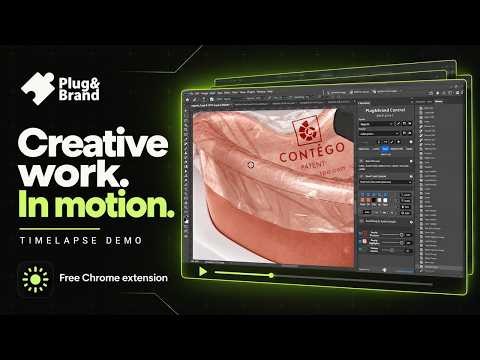
Record a timelapse of your screen while you work. Keeps recording with Chrome minimised and saves straight to your Downloads.
Turn hours of work into a video that plays in a minute. Plug&Brand Timelapse captures your screen every few seconds while you design, code, draw or write, and turns it into a smooth timelapse video. Click Start, choose what to share, and get back to work. When you stop, the video is saved straight to your Downloads folder. RECORDS IN THE BACKGROUND • Keeps recording with the popup closed and Chrome minimised (share your entire screen). • Pauses while your screen is locked and resumes when you unlock, so the lock screen never ends up in your video. • Keeps the display awake while recording, so there are no black frames. • When nothing on screen changes, the video keeps counting, so its pace stays true to real time. • Start, stop, pause and resume from anywhere: Alt+Shift+R and Alt+Shift+P. • Set a time limit and it stops on its own. • A REC badge on the toolbar icon shows when it's recording. SEE IT WHILE IT RECORDS • Live preview in the popup, with frames captured, file size and speed-up. • Before you start, the popup tells you what an hour of work becomes, for example "1 h of work → 24 s of video". YOUR VIDEO, YOUR WAY • Capture a frame every 250 ms up to every 10 minutes, from presets or a custom interval. • 15, 24, 30 or 60 fps. • Native, 1080p or 720p, in Small, Balanced or Sharp quality. • MP4 (H.264) or WebM (VP9). • Optionally keep every frame as a JPEG and download them all as a ZIP. SAVED SAFELY • Videos go to Downloads/Timelapses, or a folder name you choose, or Chrome asks where to save each one. • The recording is written to disk as it goes. If Chrome closes unexpectedly, what was recorded is recovered the next time it starts. • A notification tells you when your video is saved. RECORDINGS LIBRARY Keep a copy of each video in the extension. Replay it, save it again or somewhere new, get its frames as a ZIP, or delete it. Right-click the toolbar icon to open the library. PRIVATE • Your recordings never leave your computer. Nothing is uploaded. • No account, no sign-up, no tracking. • Settings > Storage shows what the extension keeps and clears it in one click. GREAT FOR Designers, developers, illustrators, writers and students who want to share their process, post progress on social media, build a portfolio piece, or see where a work session went. Free. The popup shows a small sponsor banner, and if Timelapse saves you time, you can support development with a coffee.
0 out of 5No ratings
Details
- Version0.1.0
- UpdatedOctober 8, 2026
- Offered byPlug&Brand
- Size394KiB
- LanguagesEnglish (United States)
- Developer
Email
hello@plugandbrand.com - Non-traderThis developer has not identified itself as a trader. For consumers in the European Union, please note that consumer rights do not apply to contracts between you and this developer.
Privacy

This developer declares that your data is
- Not being sold to third parties, outside of the approved use cases
- Not being used or transferred for purposes that are unrelated to the item's core functionality
- Not being used or transferred to determine creditworthiness or for lending purposes