

Plot Twist

Overview
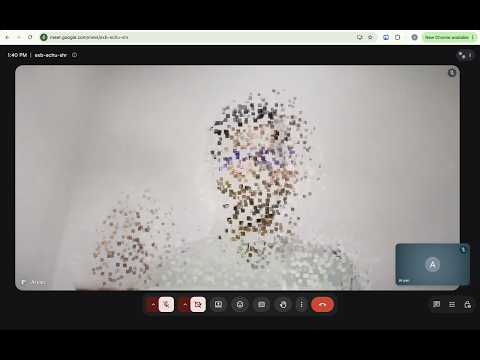
Drop a plot twist into your Google Meet video: dissolve into dust and vanish, make it rain money, go full cinema, facepalm.
Drop a plot twist into your next Google Meet call. The effects: • Vanish: you dissolve into dust and disappear, while your background stays live. Snap again (or click Return) to re-form. • Money rain: banknotes fall across your video. • Absolute Cinema: your video turns black-and-white with a dramatic title. • Facepalm: a cute animated cartoon of you facepalming, made on your device. Or add your own: any emoji, picture, GIF or picture link (hover over Facepalm and click ✎). Everyone in the call sees the effects. Only you see the controls. Three ways to set them off: • With a gesture: snap your fingers to vanish (and snap again to return), snap twice quickly for money rain, raise both hands for Absolute Cinema, or put your hand on your face to facepalm. Turn each one on in the popup. Snap detection listens to your microphone for the click. • With a button: click the Plot Twist icon in the toolbar and pick an effect. Nothing to detect, so it always works. • With the keyboard, in the Meet tab: Alt+Shift (Option+Shift on a Mac) plus S (vanish/return), M (money rain), C (cinema) or F (facepalm). Make it your own: the buttons mean you can pair any effect with any move you like. Wave goodbye and vanish as you leave the call. Throw your hands up and make it rain when the deal closes. Lean back, slow-clap or drop a mic, then hit Cinema. Click right as you do it, and the call sees a perfectly timed plot twist. Tip: capture a photo of your empty background first. Step out of frame during the 5-second countdown, and your vanish will then fade cleanly into that photo. It is kept for the whole call, until you close the tab. Private by design • Everything runs on your device. No servers, no analytics, no network requests (except downloading a facepalm picture from a link, once, if you add one). • Your video goes only where Meet already sends it. • The microphone is used only if you turn on snap detection. • Only your settings and your own facepalm (on this device only) are saved. The cartoon only keeps a few colours and traits (glasses, beard) in memory, never a picture, and forgets them when your camera stops. • The master Effects switch passes your camera through untouched. Works on meet.google.com. Requires a recent version of Chrome.
0 out of 5No ratings
Details
- Version1.0.0
- UpdatedNovember 5, 2026
- Offered byAshish Vats
- Size12.42MiB
- LanguagesEnglish
- Developer
Email
ashishvats056@gmail.com - Non-traderThis developer has not identified itself as a trader. For consumers in the European Union, please note that consumer rights do not apply to contracts between you and this developer.
Privacy

This developer declares that your data is
- Not being sold to third parties, outside of the approved use cases
- Not being used or transferred for purposes that are unrelated to the item's core functionality
- Not being used or transferred to determine creditworthiness or for lending purposes