Item media 6 (screenshot) for Pleno
Item video thumbnail
Item media 2 (screenshot) for Pleno
Item media 3 (screenshot) for Pleno
Item media 4 (screenshot) for Pleno
Item media 5 (screenshot) for Pleno
Item media 6 (screenshot) for Pleno
Item video thumbnail
Item media 2 (screenshot) for Pleno
Item media 3 (screenshot) for Pleno
Item media 4 (screenshot) for Pleno
Item media 5 (screenshot) for Pleno
Item media 6 (screenshot) for Pleno

Overview

Capture a whole webpage, not just the part you can see, then frame it, add a background, and mark it up.

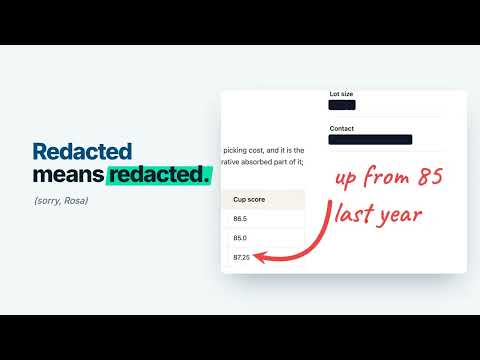
Capture a whole page, not just the part you can see. Pleno scrolls the page, stitches the bands into one image, and hands it to an editor built for the picture you actually want: a background, some padding, a device or browser frame, and marks on top of it. - Full page, visible area, a single element, or a region you drag out - Export as PNG, JPEG, WebP or PDF — or as an HTML archive or Markdown - Backgrounds: solid, gradient, mesh, an image, or the shot itself blurred Frames: macOS and Safari windows, MacBook, iPhone and iPad, in any finish - Arrows, boxes, highlights, text, numbered steps, blur and redaction - Turn a long page into a scrolling animation, as a GIF or a video - Everything happens on your own machine. Nothing is uploaded, and the extension has no server to upload it to.

Details

  • Version
    1.1
  • Updated
    October 9, 2026
  • Features
    Offers in-app purchases
  • Size
    452KiB
  • Languages
    English (United States)
  • Developer
    Salt and Co. Design Partners
    307 Henrys Ln Bristol, VA 24202 US
    Website
    Email
    hello@addsaltandco.com
    Phone
    +1 276-248-1445
  • Trader
    This developer has identified itself as a trader per the definition from the European Union and committed to only offer products or services that comply with EU laws.

Privacy

Manage extensions and learn how they're being used in your organization

Pleno has disclosed the following information regarding the collection and usage of your data. More detailed information can be found in the developer's privacy policy.

Pleno handles the following:

Authentication information

This developer declares that your data is

  • Not being sold to third parties, outside of the approved use cases
  • Not being used or transferred for purposes that are unrelated to the item's core functionality
  • Not being used or transferred to determine creditworthiness or for lending purposes

Support

Related

Capture Full Page

0.0

Captures and downloads a screenshot of an entire webpage.

Glintshot: full-page screenshot and markup

5.0

Screenshots, minus the clutter. Capture a region, the visible part, a full page or one element, then mark it up.

网页截屏

5.0

截取网页滚动区域并拼接成一张图片,支持不同分辨率、文件大小上限、保存和剪贴板复制。

Pluto Webshot - screenshot capture: full page, area & built-in editor

0.0

Capture any web page: the full page in one continuous image, a region you drag, or just the part you see. Then edit it right away.

PageStitch — Full Page Screenshot

0.0

Capture the visible area or full length of a webpage and save it as an image.

Longshot — Full Page Screenshot

0.0

Capture the visible area, the whole scrolling page, or every dropdown on it. Save as PNG, JPEG or PDF. Nothing leaves your browser.

Full Page Screenshot & Editor

0.0

Capture an entire web page by scrolling, stitch it into one long screenshot, then crop and annotate before saving.

FullPageScreenshot

5.0

Capture, view and annotate full-length screenshots of any webpage.

Full Page Screenshot

0.0

Capture full-page screenshots by scrolling and stitching, then annotate, crop and export them — all offline.

Longshot — Scrolling Screenshot

0.0

Capture a full-page scrolling screenshot of any webpage, then crop, annotate and copy it. Nothing is uploaded.

CaptureKit — Screenshot & Beautifier

0.0

Capture, beautify, annotate and export screenshots from any webpage. Hide any page element before capturing.

Scrollshot — Full Page Screenshot & Annotate

0.0

Capture an entire scrollable webpage as one image or PDF, then crop, annotate, and blur before saving.

Capture Full Page

0.0

Captures and downloads a screenshot of an entire webpage.

Glintshot: full-page screenshot and markup

5.0

Screenshots, minus the clutter. Capture a region, the visible part, a full page or one element, then mark it up.

网页截屏

5.0

截取网页滚动区域并拼接成一张图片,支持不同分辨率、文件大小上限、保存和剪贴板复制。

Pluto Webshot - screenshot capture: full page, area & built-in editor

0.0

Capture any web page: the full page in one continuous image, a region you drag, or just the part you see. Then edit it right away.

PageStitch — Full Page Screenshot

0.0

Capture the visible area or full length of a webpage and save it as an image.

Longshot — Full Page Screenshot

0.0

Capture the visible area, the whole scrolling page, or every dropdown on it. Save as PNG, JPEG or PDF. Nothing leaves your browser.

Full Page Screenshot & Editor

0.0

Capture an entire web page by scrolling, stitch it into one long screenshot, then crop and annotate before saving.

FullPageScreenshot

5.0

Capture, view and annotate full-length screenshots of any webpage.

Google apps