


Overview
Save articles to listen to them later.
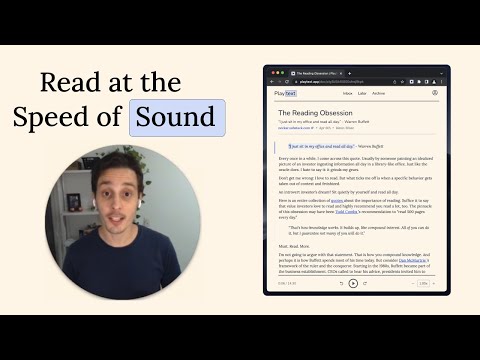
Playtext – Turn any webpage into an audiobook with AI voices. 1. Save any page. 2. Press play. 3. Listen at up to 3x speed. — What can you do with Playtext? 🎧 Read + Listen Together – Follow along as you listen. Dual input helps you retain more of what you read. ✨ Distraction-Free Reader – A clean, focused reading environment. No ads, no clutter. 🚀 Speed Up Your Reading – Adjust playback up to 3x to get through content faster. 💻 Keyboard Shortcuts – Control playback without leaving the keyboard. 🌎 6 Languages – English, Spanish, Portuguese, German, Italian, and French.
4.4 out of 57 ratings
Details
- Version2.1.1
- UpdatedMarch 30, 2026
- Size77.66KiB
- LanguagesEnglish
- DeveloperWebsite
Email
hey@phelipemartin.com - Non-traderThis developer has not identified itself as a trader. For consumers in the European Union, please note that consumer rights do not apply to contracts between you and this developer.
Privacy

Playtext — Text to Speech has disclosed the following information regarding the collection and usage of your data. More detailed information can be found in the developer's privacy policy.
Playtext — Text to Speech handles the following:
This developer declares that your data is
- Not being sold to third parties, outside of the approved use cases
- Not being used or transferred for purposes that are unrelated to the item's core functionality
- Not being used or transferred to determine creditworthiness or for lending purposes