


Overview
Gestion avancée des playlists YouTube : panneau latéral, tri/filtre, réordonnancement, copier/déplacer, stats.
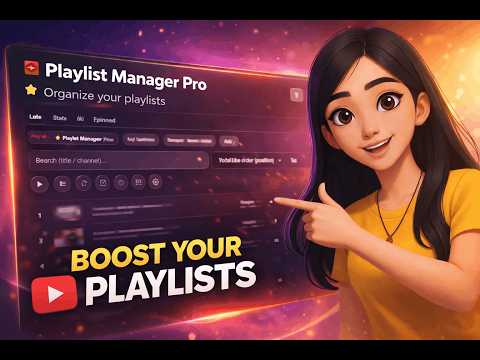
Playlist Manager Pro for YouTube vous aide à organiser, nettoyer et gérer vos playlists YouTube beaucoup plus rapidement, directement depuis un panneau latéral pratique. 🎵 Cette extension est une extension indépendante et non officielle, et n’est affiliée ni à YouTube ni à Google. ✨ Pourquoi utiliser cette extension • Gagnez du temps pour trouver, trier et organiser vos vidéos. • Identifiez rapidement les doublons, les vidéos indisponibles et les Shorts. • Créez des sessions d’écoute selon une durée cible (ex. : 30 min, 45 min, 1 h). • Gardez vos playlists importantes à portée de main. • Gérez vos playlists sans quitter YouTube. 🧰 Fonctionnalités principales • Panneau latéral persistant : votre gestionnaire reste ouvert pendant que vous naviguez sur YouTube. • Chargement rapide des playlists : depuis l’onglet actif, depuis vos playlists, ou via un lien/ID. • Recherche et tri avancés : titre, chaîne, date d’ajout, date de publication, durée, ordre YouTube. • Filtres utiles : doublons, indisponibles (privées/supprimées), Shorts (< 60 s), vidéos longues (> 20 min). • Sélection multiple : cochez plusieurs vidéos pour effectuer des actions par lot. • Lecture intelligente : lancez la lecture de la vue actuelle ou de votre sélection. • Réorganisation facile : glisser-déposer pour changer l’ordre. • Enregistrer l’ordre sur YouTube : appliquez votre nouvel ordre quand vous êtes connecté. • Copier/déplacer vers une autre playlist : transférez vos vidéos en quelques clics. • Suppression par lot : supprimez une sélection de vidéos d’une playlist. • Export de playlist : téléchargez un export JSON de votre liste. 📊 Onglet Stats (tableau de bord) • Vue d’ensemble instantanée : nombre d’éléments, durée totale connue, moyenne par vidéo. • Indicateurs de qualité : doublons, vidéos indisponibles, Shorts, vidéos longues. • Actions rapides : sélectionnez directement les doublons ou les vidéos indisponibles. • Composition automatique par durée cible : choisissez une durée et l’extension propose une sélection adaptée. ⏱️ 🎧 Onglet Music AI • Assistant musical pour demander des recommandations selon une humeur, un style, une époque ou des paroles. • Suggestions actionnables immédiatement avec les boutons « Listen », « Add » et « Favorite ». • Gérez les favoris IA en local ou dans une playlist YouTube dédiée (quand vous êtes connecté). • Sauvegarde/restauration des favoris IA pour conserver votre historique musical. • Compteur de crédits IA visible après vos requêtes. 📌 Onglet Pinned • Épinglez vos playlists favorites (les vôtres ou celles que vous suivez). • Ouvrez ou chargez une playlist épinglée en 1 clic. • Ajoutez une playlist épinglée via URL ou ID. • Sauvegardez et restaurez vos playlists épinglées. ✅ Exemples pratiques • « Je veux nettoyer ma playlist Chill » : filtrez les doublons, sélectionnez, supprimez par lot. • « Je pars courir 45 minutes » : utilisez la composition automatique par durée cible et lancez la lecture. • « Je veux organiser ma playlist Work » : triez par durée ou par titre, puis appliquez le tri sur YouTube. • « Je garde mes playlists de référence à portée de main » : épinglez-les pour un accès instantané. • « Je cherche de nouvelles idées » : demandez à l’assistant IA des morceaux adaptés à votre humeur du moment. 🎧 🔐 Modes d’utilisation • Sans connexion : mode lecture seule, utile pour explorer, filtrer, trier en local et copier des liens. • Avec connexion YouTube : mode complet pour modifier vos playlists (déplacer, copier, supprimer, réorganiser et enregistrer). ℹ️ Important • Cette extension est indépendante et n’est pas une extension officielle YouTube. • Elle n’est ni sponsorisée, ni approuvée, ni gérée par YouTube/Google. Si vous gérez souvent des playlists, Playlist Manager Pro for YouTube vous offre un tableau de bord clair, rapide et agréable au quotidien. ✅
1.7 out of 53 ratings
Details
- Version0.2.9
- UpdatedJuly 9, 2026
- Size256KiB
- Languages2 languages
- DeveloperWebsite
Email
leclercjweb@gmail.com - Non-traderThis developer has not identified itself as a trader. For consumers in the European Union, please note that consumer rights do not apply to contracts between you and this developer.
Privacy

Playlist Manager Pro for YouTube has disclosed the following information regarding the collection and usage of your data. More detailed information can be found in the developer's privacy policy.
Playlist Manager Pro for YouTube handles the following:
This developer declares that your data is
- Not being sold to third parties, outside of the approved use cases
- Not being used or transferred for purposes that are unrelated to the item's core functionality
- Not being used or transferred to determine creditworthiness or for lending purposes
Support
For help with questions, suggestions, or problems, visit the developer's support site