

Planner Default View
18 个评分
)
概述
Help you save your default "Group By" view selection in Microsoft Planner web application
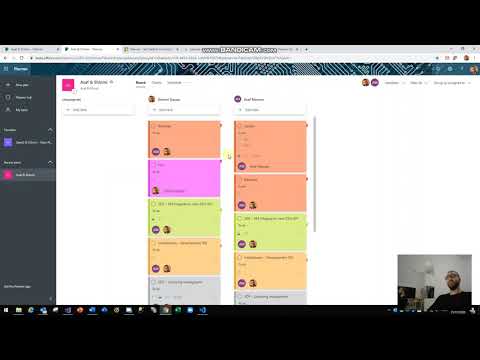
Planner Default View extension sets Default Group By option for MS Planner plans and allows you to select your default group by from the extension icon popup. after selecting your default "Group By" and reload MS Planner web app, Planner Default View will remember your previous selection and organize your tasks accordingly Whats new in 1.0.0.9? - Support coloring planner cards after Microsoft changed the app structure in latest update Whats new in 1.0.0.8? - Bug fixes - UI Changes - Coloring your tasks according to labels color - very useful Credits to Marty Harris for sharing the code to color the Planner cards which I have implemented in Planner Default View There is a separate extension published by Marty Harris called "Colourful Planner" you can find it in chrome web store
4.1 星(5 星制)18 个评分
详情
- 版本1.0.0.9
- 上次更新日期2020年3月12日
- 提供方Shlomi Dayan
- 大小109KiB
- 语言English
- 开发者
邮箱
dshlomy@gmail.com - 非交易者该开发者尚未将自己标识为交易者。欧盟地区消费者须知:消费者权利可能不适用于您与该开发者达成的合约。
隐私权
支持
若有任何疑问、建议或问题,请在桌面浏览器中打开此页面