


Overview
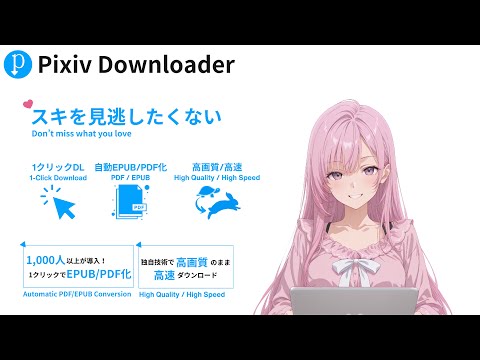
Save pixiv works as high-quality PDFs in one click
Download pixiv illustrations, manga, novels, and ugoira. This tool helps you save works as PDF/EPUB and other files for offline viewing and organizing. ■Features - Illustrations & Manga: PDF / EPUB / original images - Novels: PDF / EPUB / txt (vertical writing, font, line spacing, and other layout options) - Ugoira: MP4 / GIF / WEBM / PDF - Bulk download of series, bookmarks, and more (filter by range, post date, and work type) - Customizable folder and file naming rules (separate rules for single and bulk downloads) - Download history management ■How to Use 1. Go to the page of the work you want. 2. Click the download button on the right side of the screen (ALL button for bulk). 3. The work will be downloaded as a file. * Settings can be changed in the side panel opened from the gear button. ■Examples of Use - Store files on your tablet and enjoy them offline anytime. - Download a whole series at once and binge-read it. - Save works in folders grouped by author. ■Feedback We welcome your impressions and feature requests. - Survey form: https://docs.google.com/forms/d/1u_LF4zAp1FaBPtJVHbo7pufaH87xkT_V1eto_a8xKIw/viewform - Contact: pixivdownloadergx@gmail.com Please report bugs here as well. ■Notes Download limits: - FREE: Up to 10 (recovers 1 per hour) - VIP: Unlimited This is an unofficial tool developed by an individual and is not affiliated with pixiv Inc. The copyright of downloaded works belongs to their creators. Use them only for personal purposes. Do not repost or redistribute them without permission. ■Safety - The extension has no code that reads your pixiv password. It saves works while you stay logged in to pixiv in your browser. - The extension runs only on pixiv and its image server (pximg.net). - When a save fails, the extension version, the URLs of the page and work, the browser type, and the error details are sent to the developer to investigate the cause. Email addresses are not included. - Official website: https://pixiv-downloader.com/en/ ■How to Install - Visit the following URL: https://chromewebstore.google.com/detail/pixiv-downloader/obpplliepllmongaimfbkbdembbmkfne?authuser=0&hl=ja - Click "Add to Chrome"
3.6 out of 516 ratings
Details
- Version7.1.0
- UpdatedNovember 13, 2026
- FeaturesOffers in-app purchases
- Size97.0MiB
- Languages5 languages
- Developer
- Non-traderThis developer has not identified itself as a trader. For consumers in the European Union, please note that consumer rights do not apply to contracts between you and this developer.
Privacy

Pixiv Downloader has disclosed the following information regarding the collection and usage of your data. More detailed information can be found in the developer's privacy policy.
Pixiv Downloader handles the following:
This developer declares that your data is
- Not being sold to third parties, outside of the approved use cases
- Not being used or transferred for purposes that are unrelated to the item's core functionality
- Not being used or transferred to determine creditworthiness or for lending purposes
Support
For help with questions, suggestions, or problems, visit the developer's support site