


개요
PixelParallel by htmlBurger - Pixel perfect HTML vs Design tool for developers
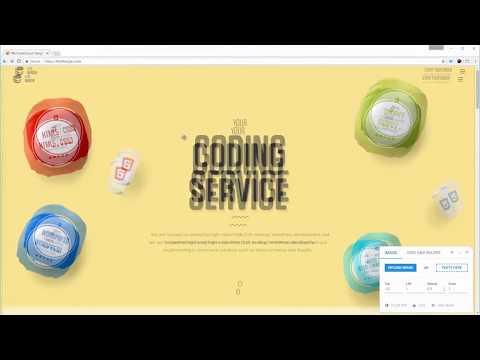
PixelParallel is a completely free, super handy and light HTML vs Design comparison tool for front-end developers that will help you code pixel perfect websites with ease. Built from developers to developers, PixelParallel is a tool working in favor of the ultimate precision in front-end coding. PixelParallel is AD FREE! How it works: 1. Simply upload your image and compare the semi-transparent overlay with the web page below. 2. Customize the opacity, scale and position of the image as you wish. You can also hide it or lock it. 3. Perform color difference for a strong pixel perfect precision. 4. Use the vertical and horizontal grids to achieve a pixel perfect web design. Features: - Bootstrap grid with customizable width, number of columns, gutter and opacity - Horizontal lines with customizable space between - Draggable rulers (Photoshop-like) + Reset option - Inversion (Color difference) - Separate overlays for each web page - Overlay scaling - Customizable overlay opacity - Saving overlays between sessions - All image sizes supported - Draggable overlay - Quick hide / show image - Shortcuts + customizable keyboard hotkeys - Works with local files - Intuitive UI: clean and simple; draggable; minimizable PixelParallel No Parallel in Quality Powered by htmlBurger Learn more: https://htmlburger.com/labs Follow us at: https://www.facebook.com/htmlBurgerofficial https://www.instagram.com/htmlburgerofficial/ https://twitter.com/htmlburger PixelParallel does not collect any personal data. Uploaded images are saved locally in the browser storage.
5점 만점에 4.7점평점 67개
세부정보
- 버전1.2.0
- 업데이트됨2022년 11월 30일
- 제공htmlBurger
- 크기223KiB
- 언어English
- 개발자
이메일
info@htmlburger.com - 비판매자판매자로 식별되지 않은 개발자입니다. 유럽 연합에 거주하는 소비자의 경우, 이 개발자와 체결한 계약에 대해서는 소비자 권리가 적용되지 않을 수 있음을 유의해야 합니다.
개인정보 보호

개발자가 사용자 데이터에 관해 다음과 같이 선언했습니다
- 승인된 사용 사례를 제외하고 서드 파티에 판매하지 않음
- 항목의 핵심 기능과 관련 없는 목적으로 사용하거나 전송하지 않음
- 신용도 판단 또는 대출 목적으로 사용하거나 전송하지 않음
지원
질문, 제안 또는 문제와 관련하여 도움이 필요하면 데스크톱 브라우저에서 이 페이지를 여세요.