

Pixello - Visual Feedback and Website Cloning Tool

Overview
Pixello is the easiest way to give visual feedback and clone web components into your design canvas. Support: hello@pixello.tech.
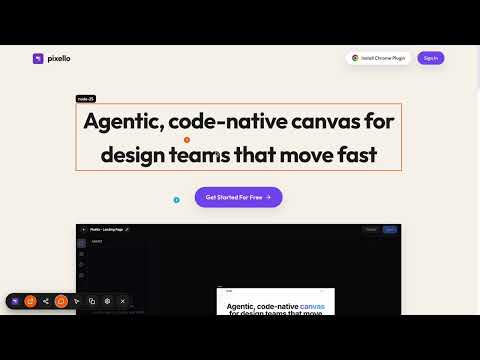
Pixello is the easiest way to share visual feedback & clone web components. Tired of sharing screenshots with your coding agent to make fixes? Pixello's chrome extension is here to rescue. The extension lets you leave visual feedback on any web page - live or local. This makes it very easy to share precise feedback with your coding agent. What's more? Pixello also let's you copy any web component or entire page that you like on the web. You can ask your coding agent to use those components by simply copy / pasting. 🚀 Key Features: 1. Copy any component / page on Web: Instantly turn any page or component into a Pixello HTML canvas while preserving layout, styles, and node IDs. You can also share this directly with your coding agent. 2. Visual Comments: Leave numbered markers and precise feedback directly on UI elements. No more vague "move this button" emails—show exactly where the change is needed. 3. Agentic Ideation: Works seamlessly with your favorite coding agents (like Cursor). Explore UI variants and design alternatives without leaving your workflow. 🛠 How It Works: 1. Leave Feedback: Open the extension on any page and leave comments for changes. You can also share the page with your team to collect their feedback. 2. Copy Feedback: You can copy all comments into one markdown file that you can share with your coding agent. 3. Clone: Open the page that is inspiring for you and simply point & click to copy the particular web component or page.
3 out of 52 ratings
Details
- Version0.1.5
- UpdatedMarch 2, 2026
- Size67.56KiB
- LanguagesEnglish
- DeveloperHARSHIT MADANWebsite
haralur road Prestige Ferns BENGALURU, Karnataka 560102 INEmail
hello@pixello.techPhone
+91 99063 60273 - TraderThis developer has identified itself as a trader per the definition from the European Union and committed to only offer products or services that comply with EU laws.
Privacy

Pixello - Visual Feedback and Website Cloning Tool has disclosed the following information regarding the collection and usage of your data. More detailed information can be found in the developer's privacy policy.
Pixello - Visual Feedback and Website Cloning Tool handles the following:
This developer declares that your data is
- Not being sold to third parties, outside of the approved use cases
- Not being used or transferred for purposes that are unrelated to the item's core functionality
- Not being used or transferred to determine creditworthiness or for lending purposes
Support
For help with questions, suggestions, or problems, please open this page on your desktop browser