


Overview
Live transcription and translation of any browser tab's audio, with captions you can export or save to Pixelion.
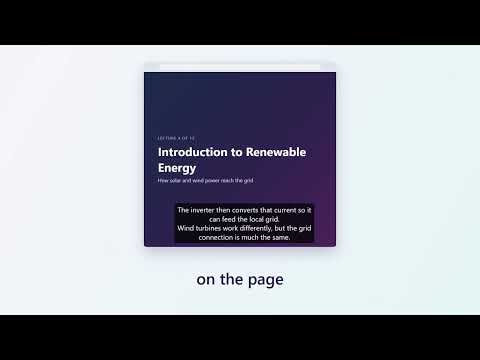
Turn any browser tab into live captions. Pixelion Live Captions transcribes the audio playing in your current tab, or your microphone, in real time. Translation is available on paid plans. Use it for meetings, webinars, lectures, livestreams, podcasts and videos, anywhere the audio has no captions or the captions are not in your language. WHAT YOU CAN DO - Live transcription: captions appear as people speak, with automatic language detection or a language you choose. - Live translation: hear one language, read another. Translate mode outputs 13 target languages and is available on Pro and Hero plans. - Capture what you need: the audio of the current tab, your microphone, or both together. - Read captions your way: an on-page caption overlay, a side panel, or a separate caption window. - Export transcripts: download as TXT, SRT or VTT. For translated sessions, choose translated text, source text, or both. - Save to Pixelion: send a session to your Pixelion library to turn it into summaries, blog posts, social posts and more. - Start and stop with a keyboard shortcut (Alt+Shift+P by default). HOW IT WORKS Click the toolbar icon, sign in with your Pixelion account, choose a source and a mode, and start. Captions begin within moments. Nothing runs until you start a session, and you can stop at any time. PRIVACY - Audio is captured only while a session is running, and only from the tab you start it on or the microphone you select. - Audio is streamed to our speech provider to produce captions and is not stored by the extension. - Transcripts stay on your device unless you choose to save a session to Pixelion. - Some pages cannot be captured, such as Chrome internal pages and the Chrome Web Store. See pixelion.ai for the privacy policy and plan details. REQUIREMENTS A free Pixelion account. Free accounts include transcription with monthly usage limits. Translation requires Pro or Hero. Pixelion Live Captions is part of Pixelion (pixelion.ai), which turns video and audio into publish-ready content.
5 out of 51 rating
Details
- Version0.1.1
- UpdatedOctober 22, 2026
- FeaturesOffers in-app purchases
- Size161KiB
- LanguagesEnglish
- DeveloperPixel Solutions di Hezi MagalWebsite
Via Santa Maria Valle, 3 Milano, MI 20123 ITEmail
info@pixelsolutions.bizPhone
+39 345 613 2771 - TraderThis developer has identified itself as a trader per the definition from the European Union and committed to only offer products or services that comply with EU laws.
- D-U-N-S441928696
Privacy

Pixelion Live Captions has disclosed the following information regarding the collection and usage of your data. More detailed information can be found in the developer's privacy policy.
Pixelion Live Captions handles the following:
This developer declares that your data is
- Not being sold to third parties, outside of the approved use cases
- Not being used or transferred for purposes that are unrelated to the item's core functionality
- Not being used or transferred to determine creditworthiness or for lending purposes
Support
For help with questions, suggestions, or problems, please open this page on your desktop browser