

Pirate
평점 3개
)
개요
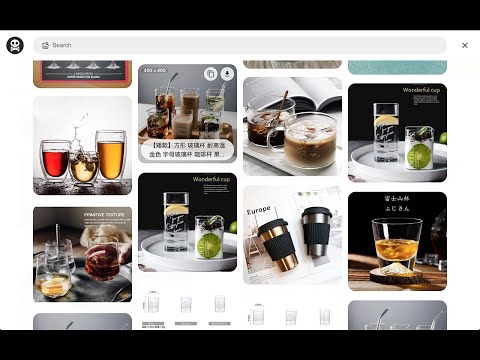
Pirate - Provide users grab current web page's all images into files or clipboard.
- Here comes several ways to turn on 「Pirate」. 1. Turn on contextMenu & choose 「Pirate」. 2. Press shortcut 「 Pirate 」 which right next to url bar. - How to use 「Pirate」? 1. Press contextMenu & choose 「Pirate」to turn it on. 2. Pick image you like to 「 COPY 」or 「 DOWNLOAD 」it. 3. You could also use search function to find images you like quickly. - Keyboard shortcut 1.「 Cmd + Shift + O」︰Turn on or off 「Pirate」. 2.「 Esc 」︰Turn off 「Pirate」 or 「Shortcuts」 guide. 3.「 / 」︰Search images. 4.「 Tab 」︰Switch content. 5.「 Shift + ? 」Turn on 「Shortcuts」 guide. Enjoy it. - Change Log: 1.0.7: a. Fixed keyboard shortcut issue. 1.0.6: a. Migrate to MV3. b. Performance enhancement. 1.0.5: a. Dark mode support. 1.0.4: a. Refactor card structure. 1.0.3: a. Accessibility & performance enhancement. 1.0.2: a. Masonry layout display bug fixed. 1.0.1: a. Add keyboard shortcuts guide. b. Ally enhancement. c. Add scroll to top function. d. Fetch more images from meta / video / touch-icon / startup-image. e. Add multi keyword search. (use space as separate sign)
5점 만점에 5점평점 3개
세부정보
- 버전1.0.7
- 업데이트됨2021년 12월 4일
- 제공Paul Li
- 크기75.8KiB
- 언어中文(台灣)
- 개발자mei's studio
14f. no. 66 San Chung Rd, Nangang dist. Tapipei, Taipei City 115 Taiwan이메일
meistudioli@gmail.com - 비판매자판매자로 식별되지 않은 개발자입니다. 유럽 연합에 거주하는 소비자의 경우, 이 개발자와 체결한 계약에 대해서는 소비자 권리가 적용되지 않을 수 있음을 유의해야 합니다.
개인정보 보호

개발자가 사용자 데이터에 관해 다음과 같이 선언했습니다
- 승인된 사용 사례를 제외하고 서드 파티에 판매하지 않음
- 항목의 핵심 기능과 관련 없는 목적으로 사용하거나 전송하지 않음
- 신용도 판단 또는 대출 목적으로 사용하거나 전송하지 않음
지원
질문, 제안 또는 문제와 관련하여 도움이 필요하면 데스크톱 브라우저에서 이 페이지를 여세요.