


Overview
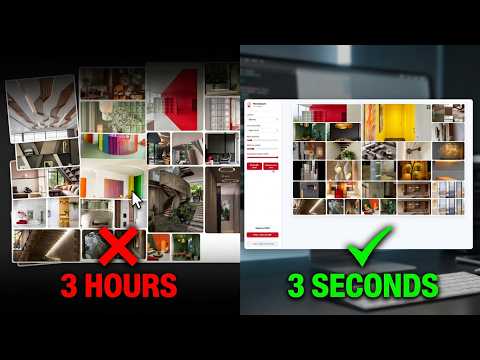
Extract images from a Pinterest board and convert them into a beautiful, printable moodboard.
Transform your Pinterest boards into stunning, ready-to-print moodboards in seconds! Tired of manually downloading images from Pinterest, resizing them, and dragging them into design software just to print your ideas? Pinterest Moodboard Generator automates the entire process. This powerful extension instantly scans any active Pinterest board and generates a clean, customizable layout that's perfectly formatted for printing, saving as a PDF, or exporting as a high-resolution PNG. Whether you're an interior designer planning a space, a creative director building a visual pitch, an event planner, or just someone who loves visualizing ideas on paper, this tool bridges the gap between digital inspiration and physical creation. ✨ KEY FEATURES One-Click Image Extraction: Seamlessly gather images from your current Pinterest board without having to download them one by one. 5 Beautiful Layout Styles: Masonry: A classic, dynamic staggered look. Grid (Square): Clean, uniform, and structured. Justified Flow: Perfectly aligned edges with varying image widths. Polaroid Grid: Add a fun, vintage photo border to your pins. Print Page Fill: Maximizes the canvas, ensuring images completely fill the page without white margins. Print-Ready Page Formats: Automatically optimize your layout specifically for standard physical paper sizes (A4, A3, or US Letter). Dynamic Fine-Tuning: Adjust the number of columns (from 2 to 8) and image spacing (gaps) on the fly using intuitive sliders. Versatile Export Options: Print your board directly, Save as a high-quality PDF, or Export the entire moodboard as a crisp PNG right from the browser. 🚀 HOW IT WORKS Navigate to any Pinterest board. Click the extension icon in your browser toolbar. Click "Extract Board Images". The extension will gather pins as you scroll. Click "Finish & Open" to instantly generate your moodboard in a new tab. Adjust the spacing or columns to your liking, then Export, Print, or Save as PDF! 🎨 IDEAL FOR Professionals from all creative disciplines 🔒 PRIVACY-FIRST Pinterest Moodboard Generator works entirely locally within your browser. We do not track your browsing history, send your images to external servers, or store your personal data. Start bringing your digital inspiration into the physical world today! https://aikreativ.com/pinterestmoodboardexporter
5 out of 54 ratings
Details
- Version1.4.5
- UpdatedJuly 18, 2026
- FeaturesOffers in-app purchases
- Size80.32KiB
- LanguagesEnglish
- DeveloperWebsite
Email
developer@aikreativ.com - Non-traderThis developer has not identified itself as a trader. For consumers in the European Union, please note that consumer rights do not apply to contracts between you and this developer.
Privacy

Pinterest Moodboard Exporter has disclosed the following information regarding the collection and usage of your data. More detailed information can be found in the developer's privacy policy.
Pinterest Moodboard Exporter handles the following:
This developer declares that your data is
- Not being sold to third parties, outside of the approved use cases
- Not being used or transferred for purposes that are unrelated to the item's core functionality
- Not being used or transferred to determine creditworthiness or for lending purposes
Support
For help with questions, suggestions, or problems, visit the developer's support site