


Overview
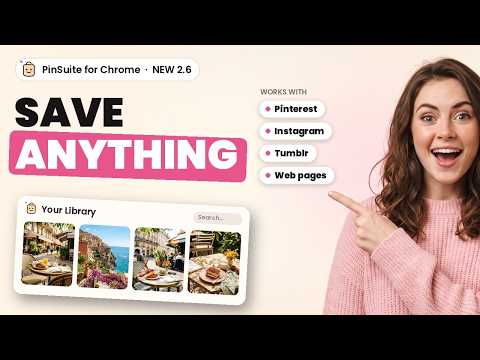
Save any web page, link or image, plus Pinterest boards and Instagram posts, into your own permanent library.
Save any web page, link or image, plus Pinterest boards and Instagram posts, into your own permanent library. No ads, no algorithm, and nothing you save ever disappears. NEW IN 2.6 • Save a page three ways: keep a full copy, keep only the link, or keep it exactly as it looks on your screen right now. • Screenshots: the visible part, the whole page top to bottom, or draw a box around just the bit you want. They go straight into your library. • A bigger right-click menu: save pages, links, highlighted text and pictures, or send anything straight to one of your recent boards. • Pick images from a page: tap the pictures you like and save them together. • Save all open tabs into one board, then close them without losing anything. • Search your library from the panel, or type "ps" and a space in the address bar. • A settings page: one-click saving from the toolbar icon, keyboard shortcuts (Alt+Shift+S) and importing your Chrome bookmarks. WHAT IT DOES • Back up the boards you can already see in your own Pinterest account, including your own private and secret boards, using your normal sign-in in this browser. • Whole boards in one go, with sections kept as sections. • Videos and GIFs, not just images, in their original quality. • Instagram posts, reels and profiles, and Are.na channels, go into the same library, next to your boards. • Optional hover saving: turn it on in the PinSuite panel to get a small save button on images across the web. Chrome asks for your permission first, and you can turn it off at any time. • A duplicate finder helps you review pictures you saved more than once. ALSO ON PINSUITE.APP Your library on pinsuite.app can also import a Tumblr blog: pick Tumblr, paste the blog address, and it keeps going in the background. Everything lands in the same library as your extension saves. HOW IT WORKS 1. Install the extension and sign in to PinSuite in this browser. 2. Click the PinSuite icon, pick a board (it remembers your choice for each website), and save the page, a screenshot, pictures or your tabs. 3. Open your library on pinsuite.app to organise, tag and search everything in one place. YOUR LIBRARY, YOUR FILES Everything you save stays in your PinSuite library. You can export any board, or your whole account, whenever you like: ZIP (separate files), PDF (a printable moodboard), HTML (browse offline), CSV or JSON. PRIVACY • We never see or store your Pinterest password. • Your Pinterest session stays in your own browser. • No tracking and no selling of data. • Your private boards stay private. FREE TO START The free plan includes 25 saves, no card needed. Paid plans start at $6.99/month or $49/year. What you have saved stays yours, even if you downgrade. PLEASE NOTE For personal backup and archiving only. Please respect copyright and only save content you have the right to keep. PinSuite is an independent product and is not affiliated with, endorsed by or sponsored by Pinterest, Instagram, Tumblr or Are.na. Help: pinsuite.app · support@pinsuite.app
4.8 out of 55 ratings
Details
- Version2.6.0
- UpdatedNovember 20, 2026
- FeaturesOffers in-app purchases
- Size106KiB
- LanguagesEnglish
- Developer
- Non-traderThis developer has not identified itself as a trader. For consumers in the European Union, please note that consumer rights do not apply to contracts between you and this developer.
Privacy

PinSuite Library has disclosed the following information regarding the collection and usage of your data. More detailed information can be found in the developer's privacy policy.
PinSuite Library handles the following:
This developer declares that your data is
- Not being sold to third parties, outside of the approved use cases
- Not being used or transferred for purposes that are unrelated to the item's core functionality
- Not being used or transferred to determine creditworthiness or for lending purposes
Support
For help with questions, suggestions, or problems, visit the developer's support site