Item logo image for Pillarbox: Push Pages Left/Right/Inward

Pillarbox: Push Pages Left/Right/Inward

Item media 5 (screenshot) for Pillarbox: Push Pages Left/Right/Inward
Item video thumbnail
Item media 2 (screenshot) for Pillarbox: Push Pages Left/Right/Inward
Item media 3 (screenshot) for Pillarbox: Push Pages Left/Right/Inward
Item media 4 (screenshot) for Pillarbox: Push Pages Left/Right/Inward
Item media 5 (screenshot) for Pillarbox: Push Pages Left/Right/Inward
Item video thumbnail
Item media 2 (screenshot) for Pillarbox: Push Pages Left/Right/Inward
Item media 3 (screenshot) for Pillarbox: Push Pages Left/Right/Inward
Item media 4 (screenshot) for Pillarbox: Push Pages Left/Right/Inward
Item media 5 (screenshot) for Pillarbox: Push Pages Left/Right/Inward

Overview

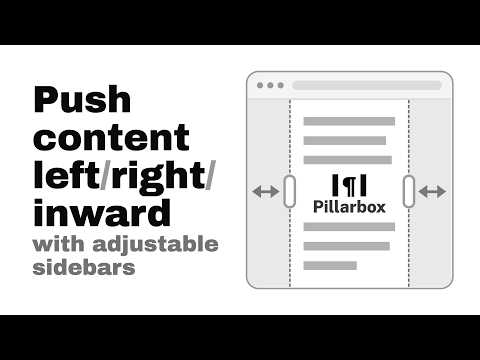
Push page content leftward / rightward / inward with adjustable sidebars

Add draggable sidebars to squeeze any page's content inward, leftward, or rightward HOW TO USE • After installation, reload your tabs • Click the toolbar icon or press Alt+Shift+S to turn the sidebars on and off • Watch the video to see all useful gestures supported! FEATURES ✔️ Light/Dark/Auto themes and custom color ✔️ Resize/Center/Collapse/Restore sidebars with ease ✔️ Set default width and open sidebars automatically for any URLs matching your custom pattern ✔️ Remembers the sidebar widths of sites you previously opened ✔️ Free to use and open source (MIT) Submit your feedback to https://github.com/MarksonChen/pillarbox

Details

  • Version
    1.0.0
  • Updated
    August 13, 2026
  • Offered by
    Markson
  • Size
    86.04KiB
  • Languages
    English
  • Developer
    Zhizhong Chen
    60 Leonard Ave Toronto, ON M5T 0S8 CA
    Email
    chenmarkson@gmail.com
  • Non-trader
    This developer has not identified itself as a trader. For consumers in the European Union, please note that consumer rights do not apply to contracts between you and this developer.

Privacy

Manage extensions and learn how they're being used in your organization
The developer has disclosed that it will not collect or use your data. To learn more, see the developer’s privacy policy.

This developer declares that your data is

  • Not being sold to third parties, outside of the approved use cases
  • Not being used or transferred for purposes that are unrelated to the item's core functionality
  • Not being used or transferred to determine creditworthiness or for lending purposes

Related

Smooth Auto Scroll

0.0

Auto-scroll through pages with adjustable speed control

Fast theme toggle

4.5

Fast theme toggle enable to quickly switch the website theme

Custom Scrollbar

4.1

Custom Scrollbar is a Chrome extension that allows users to customize the appearance of scrollbars in their browser

Vertical Tabs

4.1

Vertical tab manager in side panel

Screen Dimmer

4.0

Easily adjust page theme and color temperature while browsing

Gemini Sidebar

5.0

Floating or split-screen Gemini sidebar on any webpage

Vertical Tabs in Side Panel

4.4

Display and manage tabs vertically in the browser sidebar.

Custom Browser Homepage

5.0

Replaces the browser's homepage with a custom page

Stylish Scroll

5.0

Stylish Scroll - allows you to custom the appearance of scrollbars

Scroll Zoom

4.1

Zoom web pages with the left or right mouse button and the scroll wheel.

Custom Scroll Bar Pro

4.2

Customize your browser's scroll bar with various colors, width, and border radius options.

Open in Sidebar

4.4

Drop any link to the sidebar for dual-pane access

Smooth Auto Scroll

0.0

Auto-scroll through pages with adjustable speed control

Fast theme toggle

4.5

Fast theme toggle enable to quickly switch the website theme

Custom Scrollbar

4.1

Custom Scrollbar is a Chrome extension that allows users to customize the appearance of scrollbars in their browser

Vertical Tabs

4.1

Vertical tab manager in side panel

Screen Dimmer

4.0

Easily adjust page theme and color temperature while browsing

Gemini Sidebar

5.0

Floating or split-screen Gemini sidebar on any webpage

Vertical Tabs in Side Panel

4.4

Display and manage tabs vertically in the browser sidebar.

Custom Browser Homepage

5.0

Replaces the browser's homepage with a custom page

Google apps