

總覽
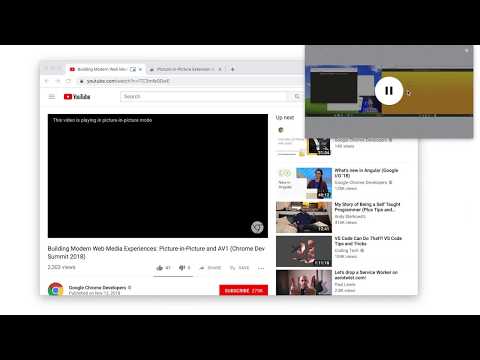
Watch video using Picture-in-Picture
Picture-in-Picture (PiP) allows you to watch videos in a floating window (always on top of other windows) so you can keep an eye on what you’re watching while interacting with other sites, or applications. Keyboard shortcut: Alt + P (⌥ + P on macOS) Source code: https://github.com/GoogleChromeLabs/picture-in-picture-chrome-extension By installing this item, you agree to the Google Terms of Service and Privacy Policy at https://www.google.com/intl/en/policies/.
3.9 分 (滿分 5 分)2510 個評分
詳細資料
隱私權

管理擴充功能,並瞭解貴機構的擴充功能使用情形
「Picture-in-Picture Extension (by Google)」已揭露下列關於收集及使用資料的資訊。 如需更多詳細資訊,請參閱開發人員的《privacy policy》。
Picture-in-Picture Extension (by Google) 會處理下列資料:
使用者活動
這位開發者就你的資料做出下列聲明:
- 除經核准的用途外,不會將你的資料販售給第三方
- 不會基於與商品核心功能無關的目的,使用或轉移資料
- 不會為了確認信用度或基於貸款目的,使用或轉移資料
支援
如有疑問或建議,請使用電腦版瀏覽器開啟這個頁面