

Picrota Lite – A basic Image Editor designed for workflows. Simple and fast
3 ratings
)
Overview
Flip, Rotate, Mask & Zoom images directly inside Chrome. No external apps.
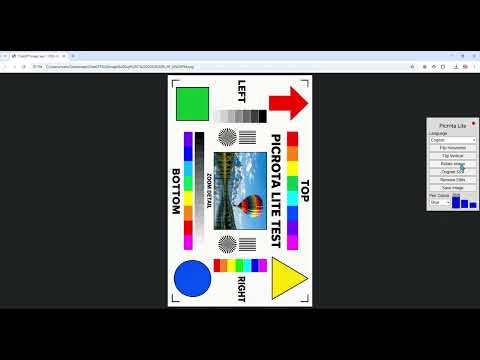
Mask sensitive information and inspect images directly inside Chrome. Picrota Lite is a fast, lightweight image viewer and basic editor designed for everyday desktop workflows. Open an image in Chrome, make the changes you need and save it without switching to a separate editing application. 🛡️ MASK SENSITIVE INFORMATION Quickly cover account numbers, personal details, transaction information and other sensitive content using the horizontal Mask tool. 🔍 ZOOM AND INSPECT Zoom in to examine documents, screenshots, receipts and other images more closely. Use Autofit to fit large or small images comfortably within the browser window. 🔄 ESSENTIAL IMAGE TOOLS Picrota Lite includes: • Mask • Zoom • Autofit • Rotate • Horizontal flip • Vertical flip • One-click Save and automatic PNG download • Remembered colour and thickness preferences ⚡ SIMPLE DESKTOP WORKFLOW 1. Open an image directly in Chrome. 2. The Picrota Lite control panel opens automatically. 3. Mask, zoom, rotate or flip the image. 4. Save the edited image as a PNG. For an image stored on your computer, you can drag it into Chrome or open it using Google Chrome. Chrome may require you to enable “Allow access to file URLs” before Picrota Lite can work with images stored locally on your computer. Picrota Lite provides help and permission guidance through its extension icon. 💼 DESIGNED FOR REAL WORK Picrota Lite is useful for: • KYC and compliance reviews • Fraud and risk analysis • Customer-support workflows • Office and administrative tasks • Document and transaction reviews • Researchers and investigators • Anyone who regularly handles images containing sensitive information 🔒 LOCAL IMAGE EDITING — NO IMAGE UPLOADS Your images stay on your device. Picrota Lite edits images locally inside Chrome and does not upload your image files or image contents for editing. Picrota Lite collects limited, privacy-conscious product-usage analytics to understand feature use, identify errors and improve reliability. Analytics do not include your image files, image contents, filenames, image URLs or local file paths. 🌍 AVAILABLE IN 33 INTERFACE LANGUAGES Picrota Lite automatically selects a supported language on first use and remembers your chosen language for future sessions. English, 中文, Español, العربية, Português, Français, Deutsch, Русский, 日本語, 한국어, Italiano, Nederlands, Polski, Türkçe, Українська, Română, Ελληνικά, Magyar, Svenska, Čeština, Dansk, Norsk, Català, Hrvatski, Suomi, Latviešu, Lietuvių, Български, Српски, فارسی, עברית, Kiswahili and Tiếng Việt. 💚 FREE AND FOCUSED Picrota Lite is free to use and intentionally focused on essential image-handling tools. Website and support: https://www.picrota.com
5 out of 53 ratings
Details
- Version1.66
- UpdatedSeptember 8, 2026
- Offered byPicrota
- Size909KiB
- Languages2 languages
- Developer
Email
info@picrota.com - Non-traderThis developer has not identified itself as a trader. For consumers in the European Union, please note that consumer rights do not apply to contracts between you and this developer.
Privacy

This developer declares that your data is
- Not being sold to third parties, outside of the approved use cases
- Not being used or transferred for purposes that are unrelated to the item's core functionality
- Not being used or transferred to determine creditworthiness or for lending purposes
Support
For help with questions, suggestions, or problems, visit the developer's support site