Item logo image for PhisX

PhisX

5.0(

27 ratings

)
Item media 2 (screenshot) for PhisX
Item video thumbnail
Item media 2 (screenshot) for PhisX
Item video thumbnail
Item media 2 (screenshot) for PhisX

Overview

Detects phishing website URLs

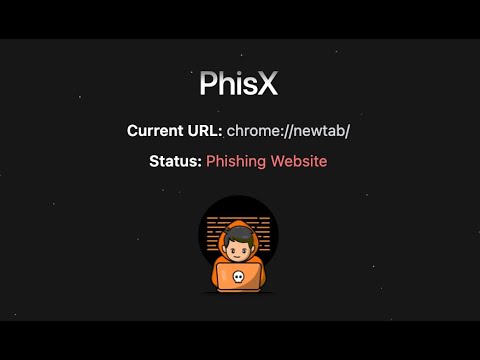
PhisX is a Chrome extension designed to safeguard users from phishing attacks by detecting and malicious URLs in real-time. Using advanced machine learning model, PhisX analyzes URLs as you browse, ensuring you don't fall victim to cybercriminals' tactics. The extension seamlessly integrates into your browsing experience, providing instant status of the website's URL. Whether you're shopping, banking, or just surfing the web, PhisX gives you the confidence to navigate the internet safely.

Details

  • Version
    1.2.0
  • Updated
    August 9, 2025
  • Size
    254KiB
  • Languages
    English
  • Developer
    Email
    abc.d6vs@gmail.com
  • Non-trader
    This developer has not identified itself as a trader. For consumers in the European Union, please note that consumer rights do not apply to contracts between you and this developer.

Privacy

Manage extensions and learn how they're being used in your organization

PhisX has disclosed the following information regarding the collection and usage of your data. More detailed information can be found in the developer's privacy policy.

PhisX handles the following:

Website content

This developer declares that your data is

  • Not being sold to third parties, outside of the approved use cases
  • Not being used or transferred for purposes that are unrelated to the item's core functionality
  • Not being used or transferred to determine creditworthiness or for lending purposes

Related

Enable Copy Everywhere

4.3

Allow right-click for copying text from restricted web pages. Enable copy-paste on all the websites.

Paste It - Text Snippets

3.9

Paste text snippets from the toolbar, context menu or keyboard shortcuts

Promptly – AI Prompt Enhancer & Manager for ChatGPT, Claude, Gemini

4.6

Optimize, save & reuse AI prompts for ChatGPT, Claude, Gemini & more. Prompt library, one-click enhancer & conversation exporter.

Enable Copy Paste - E.C.P

4.0

Enable copy paste on websites that have disabled copy paste.

LeetCode Video Solutions

4.4

Watch free LeetCode video ▶ solutions on the problem page itself.

Codejudge Proctoring

2.3

Extension to proctor candidate

Leeco AI – Auto-Apply Jobs on LinkedIn & Upskill for Job Interviews

4.6

Leeco AI is your all-in-one Chrome extension for automating job search & mastering tech interviews—with an AI mentor at every step.

Enable Copy/Paste

3.7

Enable copy (CTRL+C or CMD+C) / paste (CTRL+P or CMD+P) on websites that needlessly block it.

ChatGPT to PDF by PDFCrowd

4.7

Turn your chats into neatly formatted PDF.

Blend & Run: Enable copy and paste

4.7

Extension to copy & paste text on websites which block it.

LeetHub v2

3.0

Automatically integrate your Leetcode & GeeksforGeeks submissions to GitHub

Interview10x: AI Resume Tailor for LinkedIn

4.2

Get 10x more interviews by instantly tailoring your resume to any LinkedIn job post using AI.

Enable Copy Everywhere

4.3

Allow right-click for copying text from restricted web pages. Enable copy-paste on all the websites.

Paste It - Text Snippets

3.9

Paste text snippets from the toolbar, context menu or keyboard shortcuts

Promptly – AI Prompt Enhancer & Manager for ChatGPT, Claude, Gemini

4.6

Optimize, save & reuse AI prompts for ChatGPT, Claude, Gemini & more. Prompt library, one-click enhancer & conversation exporter.

Enable Copy Paste - E.C.P

4.0

Enable copy paste on websites that have disabled copy paste.

LeetCode Video Solutions

4.4

Watch free LeetCode video ▶ solutions on the problem page itself.

Codejudge Proctoring

2.3

Extension to proctor candidate

Leeco AI – Auto-Apply Jobs on LinkedIn & Upskill for Job Interviews

4.6

Leeco AI is your all-in-one Chrome extension for automating job search & mastering tech interviews—with an AI mentor at every step.

Enable Copy/Paste

3.7

Enable copy (CTRL+C or CMD+C) / paste (CTRL+P or CMD+P) on websites that needlessly block it.

Google apps