


Overview
AI-powered phishing protection and smart inbox assistant for Gmail. Scans for threats, summarizes emails, and suggests replies.
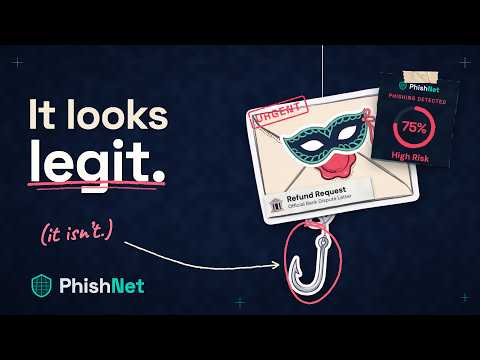
PhishNet adds AI-powered phishing protection to Gmail. It checks your email for threats and, when something looks wrong, tells you exactly why in plain English, before you click a link or reply. KEY FEATURES • Phishing detection: AI analysis combined with SPF, DKIM, and DMARC checks • Lookalike domain alerts: flags typosquatted and look-alike sender and link domains • Link and attachment checks: warns about suspicious URLs and risky files, including macro-enabled documents • Payment fraud protection: catches impersonation and wire-transfer requests that look routine • Clear explanations: every verdict lists the specific reasons behind it • One-click actions: report, quarantine, or trust a sender without leaving Gmail • Inbox assistant: email summaries and suggested replies HOW IT WORKS 1. Install PhishNet and sign in with your Google account. 2. Open Gmail. PhishNet scans your messages automatically. 3. If a threat is found, a panel shows the verdict, the reasons, and what to do next. PRIVACY & SECURITY PhishNet signs in with Google OAuth and asks only for the Gmail permissions it needs to scan, label, and quarantine messages. It has passed Google's CASA Tier 2 security assessment. Questions? support@phishnet.ai
5 out of 53 ratings
Details
- Version0.2.0
- UpdatedOctober 18, 2026
- Size193KiB
- LanguagesEnglish
- DeveloperFRANKLYN OGHENEOVO OMONADEWebsite
3, Firo estate, ijagba, obasanjo Ota, Ogun State 112212 NGEmail
hello@phishnet.aiPhone
+234 906 668 6567 - TraderThis developer has identified itself as a trader per the definition from the European Union and committed to only offer products or services that comply with EU laws.
Privacy

PhishNet has disclosed the following information regarding the collection and usage of your data. More detailed information can be found in the developer's privacy policy.
PhishNet handles the following:
This developer declares that your data is
- Not being sold to third parties, outside of the approved use cases
- Not being used or transferred for purposes that are unrelated to the item's core functionality
- Not being used or transferred to determine creditworthiness or for lending purposes
Support
For help with questions, suggestions, or problems, please open this page on your desktop browser