


總覽
Cyber protection by blocking access to malicious websites and links, preventing cyber attacks.
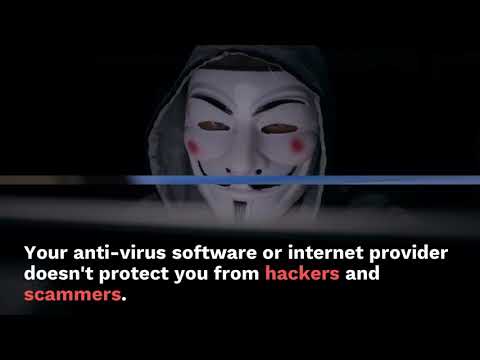
Phishing Net is a browser extension that protects you from malicious websites and links. Your anti-virus software or internet provider will not protect you from malicious links on the internet. There is an ever increasing risk of some form of a cyber attack happening, because people are tricked into clicking links received in emails, on social media posts, or even links in articles that are on the internet. Legitimate businesses and organisations are impersonated everyday. 95% of cyber attacks are the result of successful phishing. New tactics are being developed daily to try and convince us to click malicious links by scammers and hackers, and we as a team of security professionals, decided to do something about it. So we've developed our browser extension to protect you from known malicious links called Phishing Net. It automatically updates every time your web browser opens with the latest Phishing Net Cyber Threat Intelligence. This means that even if you don't have any security measures, or you aren't connected to your employers virtual private network (VPN) that does have security measures like firewalls and proxy servers, you will not be able to reach a website address that we have identified as malicious. Even if you do have existing security measures, having an extra one isn't a bad thing. In the event that you click a link that we have identified as malicious, we will not allow your browser to open that link, and we will redirect you to safety. 36 million people have been targeted by scammers so far this year (2021). Scams and malicious links come in many guises, whether it be a get-rich-quick scheme, special offer, fake security alerts or even the promise of romance. It's easy to think it'll never happen to you, but the reality is anyone can be targeted and anyone can be tricked into clicking a malicious link. We are continuously updating our threat intelligence with the latest cyber threats, and the only thing you need to do to update it, is restart your browser. If you turn your laptop off on an evening and then start it up again in the morning, it will automatically update itself. Even if you don't turn off your laptop, just closing your browser and re-opening it will do the same. We do not monitor or record your web browsing traffic either. What we do record is every single website that we have determined as malicious. If you click a link that takes you to a malicious website we have identified, we record that malicious link and your license key and the time it was clicked. Nothing else. The free download 30 day trial license will give you unlimited access to our Phishing Net Cyber Threat Intelligence for 30 days. If you'd like to purchase a license key to use it continuously, you can either purchase a license for £1 for 1 month, or £10 for 1 year. That's cheaper than one fancy juice, tea or coffee a month. It also means you'll be protected from malicious links 24 hours a day, 7 days per week, 365 days per year, for as little as £0.03 per day. You don't need to download the trial license to see it in action. If you simply install the Phishing Net extension, enable it, restart your browser and then attempt to visit "suspiciouswebsites.com" (we registered that website), you will see the Phishing Net in action and you will be redirected to safety. Once you have downloaded the extension, there is nothing you need to do to get it working other than adding a license key, when you download the trial license or purchase one. This is all done via the "Options" page within the extension. Installing our extension has no impact on your browsers performance at all. Phishing Net is extremely lightweight, but also extremely powerful. We update our threat intelligence daily, but we will also happily investigate any suspicious links that you receive. If it is identified as malicious, we add this to our threat intelligence, and every single end user of Phishing Net will benefit from being protected from those links. Finally one little note from our developers: "Scammers and hackers have the ability to send millions of malicious links out to unsuspecting users attempting to infect or compromise people and their computers for malicious purposes. So we created Phishing Net to protect every single user from all of the known malicious links scammers and hackers use, to beat them at their own game!" Remember, if in doubt, don't click it. Send it to us instead.
0 分 (滿分 5 分)無評分
詳細資料
隱私權

這位開發者就你的資料做出下列聲明:
- 除經核准的用途外,不會將你的資料販售給第三方
- 不會基於與商品核心功能無關的目的,使用或轉移資料
- 不會為了確認信用度或基於貸款目的,使用或轉移資料
支援
如有疑問或建議,請使用電腦版瀏覽器開啟這個頁面