

ReadPad - Text to Speech Reader
2 ratings
)
Overview
Read any link without ads and hear it aloud in 53 languages. Pro: ask AI, files, images, translate. $10 once.
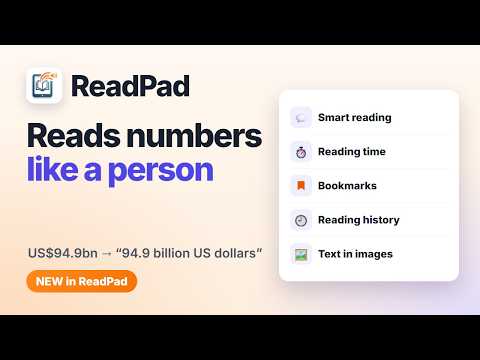
Read any link without the ads. Paste a link into ReadPad and the article opens clean: no ads, no pop-ups, no sidebars, just the text. Listen to it, or ask an AI about it with one click. Listen instead of reading. ReadPad reads webpages, articles, PDFs, screenshots and pasted text aloud right inside Chrome. Free to use, and Pro is a one-time $10. No subscription. Select text and right-click, open the Reader, or just paste a link. ReadPad reads it aloud with the voices on your computer, or with free online voices in 53 languages. WHAT MAKES READPAD DIFFERENT • Clean reading: any article link opens without ads, pop-ups, cookie banners or sidebars • The whole article: pages 2, 3 and "Next" are followed to the end and joined into one text • Original formatting: headings, bold, lists and tables look like the source • Listen: read aloud in 53 languages, with word-by-word highlighting • Ask AI (Pro): send the text, or just the part you selected, to Claude, ChatGPT or Gemini with your question • Pay once: Pro is $10, no subscription FREE, FOREVER • Clean reading without ads: paste a link (or click one inside your text) and only the article opens. No ads, no pop-ups, no sidebars. Pages that need a login or a subscription can't be opened • Whole articles: when a site splits an article over several pages, ReadPad follows them to the end and joins them. "Read also" boxes and photo captions are left out • Original formatting: text pasted from the web keeps its headings, bold, lists and tables • Read any webpage or selected text aloud from the right-click menu • Paste a link and ReadPad reads the article itself, not the URL • Click a link inside your text and ReadPad reads that article too • Use every voice installed on your computer, plus free online Google Translate voices in 53 languages • Live word-by-word highlighting so you can follow along • Automatic language detection picks a matching voice for you • Adjustable speed, pitch and volume • Double-click any word to start reading from that exact point • Floating play / pause controls on long texts, light and dark mode • Reading history: everything ReadPad reads for you, in the Reader or on a webpage, is kept for 7 to 90 days (you choose). Click to hear it again, or clear it any time • Bookmarks: mark your place in a book or a long article, then pick up reading from that exact spot • Back and Forward between texts, like a browser, and a Hide controls button that gives the text the whole window • Smart reading: money, percentages, quarters and finance shorthand are read the way a person says them, in 17 languages. "US$209 million (-37% QoQ)" becomes "209 million US dollars, minus 37 percent quarter on quarter", and links, emoji and separator lines are skipped • Reading time: see how long the whole text takes at your speed, and where you are while it reads (for example 1:23 / 4:10) PRO: $10 ONE TIME, NO SUBSCRIPTION • Ask AI: one click sends the text you are reading, or just the part you selected, to Claude, ChatGPT or Gemini together with your question. Ask for a summary, an explanation, the risks, anything. Choose the answer language and length, and save your own one-tap questions • Files keep their formatting too: headings, bold and lists in PDF, Word and EPUB look like the original • Read the text in images: right-click any picture on a webpage, paste a screenshot or drop an image file, and ReadPad finds the text (30 languages) and reads it aloud • Translate text into 53 languages, then hear it read aloud • Open PDFs, Word documents, e-books and other text files straight in the Reader. No more copy-pasting • Custom rules: skip lines you don't want read (headers, footnotes), or tell ReadPad how to pronounce a word or abbreviation • One license works on up to 10 devices • Pay once, keep it for life. Not for you? Email within 14 days for a full refund GREAT FOR • Financial news and stock analysis full of numbers • Books and long reads you finish over several sittings • Long articles and reports, without the eye strain • Students listening to PDFs and course notes • Screenshots, scanned pages and text stuck inside pictures • Language learners: translate a text, then hear how it sounds • Anyone with dyslexia, ADHD or low vision who prefers to listen PRIVACY No analytics, no ad tracking, and your data is never sold. With your computer's own voices, reading happens entirely on your device. If you choose an online Google Translate voice or use Translate, the text being read or translated is sent to Google Translate to create the audio or translation. Text in images is recognized on your own computer; the picture is never uploaded. Reading history and bookmarks are saved only on your computer. Ask AI sends your text only when you press the button, straight to the AI you chose and under your own account there; ReadPad has no AI of its own and never sees the text or the answers. Help, FAQ and pricing: readpad.netlify.app Questions? readpadpro@gmail.com, answered by the developer.
5 out of 52 ratings
Details
- Version1.16.0
- UpdatedNovember 24, 2026
- Offered byCitra Labs
- Size6.1MiB
- Languages10 languages
- Developer
Email
readpadpro@gmail.com - Non-traderThis developer has not identified itself as a trader. For consumers in the European Union, please note that consumer rights do not apply to contracts between you and this developer.
Privacy

This developer declares that your data is
- Not being sold to third parties, outside of the approved use cases
- Not being used or transferred for purposes that are unrelated to the item's core functionality
- Not being used or transferred to determine creditworthiness or for lending purposes
Support
For help with questions, suggestions, or problems, visit the developer's support site