


Overview
Preview the GTM dataLayer, see which GA4, Ads, Meta, TikTok and other tags fired, inject GTM, and debug Shopify Custom Pixels.
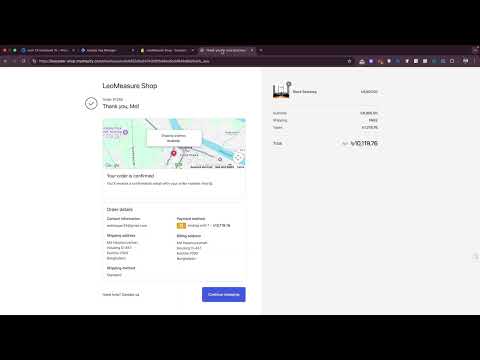
Check your tracking without opening GTM preview mode or the browser console. See what is in the dataLayer, which tags actually fired, and what data each one sent, on any website. WHAT YOU CAN DO - Read the dataLayer of any page, event by event - Copy the path of any value for your GTM variables - See which marketing and analytics tags fired, with their parameters - See which GTM container fired a Google tag - Check Shopify Custom Pixel events that GTM preview does not show - Add a GTM container to a site for testing DATALAYER CHECKER Read the dataLayer of any page as it fills up, even when GTM's own preview mode is not available. If the page has more than one GTM container, each one gets its own tab. COPY DATALAYER PATH Click any value inside an event to copy its path, then paste it straight into a Data Layer Variable in GTM. No more typing nested paths by hand. TAGS FIRED See the requests the page sends to marketing and analytics platforms and check them against what you expect. - Covers GA4, Google Ads, Meta, TikTok, Pinterest and more. GA4, Google Ads and Meta are on by default; the rest are one click away under More. - Each hit shows the event name, account or pixel ID, value, currency, items, event ID for deduplication, and consent state. - For Google tags, see which GTM container fired the tag. - Server-side endpoints and hits sent from iframes are labelled, so you can tell your setups apart. - Search, filter by platform, and turn on Preserve log to keep hits across pages while you walk through a checkout. Monitoring is off until you turn it on. When you do, the current page reloads so its tags are captured from the first request. SHOPIFY CUSTOM PIXEL Custom Pixel events do not appear in GTM preview mode by default. Read those dataLayer events directly in the extension, no console needed. Simulate GTM Preview for Shopify: turn on one setting to get GTM-style preview behaviour for Shopify Custom Pixel integrations. GTM INJECTOR Add a GTM container to a site you choose, for testing, without touching the site's code. Paste the install snippet from GTM (Admin, then Install Google Tag Manager). Both the older and the newer snippet formats work. It only runs on the websites you enter. HOW TO USE 1. Open the page you want to check and click the extension icon. 2. DataLayer tab: browse the events and click a value to copy its path. 3. Tags Fired tab: click Start monitoring once. The page reloads and the tags it fires are listed. 4. Click any row to see the full parameters. PRIVACY Tag data never leaves your browser. The extension does not send data to the developer or to any third party. Your settings are saved with Chrome's storage and may sync through your Google account if you use Chrome Sync. Tag monitoring only reads requests from the tab you are viewing. It never blocks or changes them, and keeps the results for the current session only. They are cleared when the tab or browser closes. You can turn monitoring off at any time.
5 out of 554 ratings
Details
- Version7.0.0
- UpdatedNovember 3, 2026
- Size203KiB
- LanguagesEnglish
- DeveloperWebsite
Email
webhasan24@gmail.com - Non-traderThis developer has not identified itself as a trader. For consumers in the European Union, please note that consumer rights do not apply to contracts between you and this developer.
Privacy

LeoMeasure - DataLayer Checker & GTM Injector has disclosed the following information regarding the collection and usage of your data. More detailed information can be found in the developer's privacy policy.
LeoMeasure - DataLayer Checker & GTM Injector handles the following:
This developer declares that your data is
- Not being sold to third parties, outside of the approved use cases
- Not being used or transferred for purposes that are unrelated to the item's core functionality
- Not being used or transferred to determine creditworthiness or for lending purposes
Support
For help with questions, suggestions, or problems, please open this page on your desktop browser