

Kaltura Capture

Overview
Record your screen and camera, then instantly share to your Kaltura library.
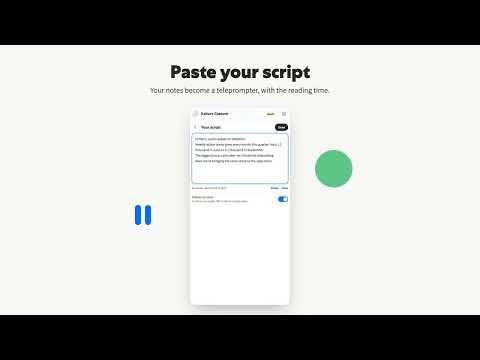
Record your screen and camera in Chrome, then share a link. Kaltura Capture gives you a teleprompter, live captions and a camera you can see while you present. Your video lands in your Kaltura library, ready to share. ---- RECORD IN THREE CLICKS - Pick Screen + camera, Screen, or Camera - Place your camera on the live preview: a bubble in any corner, or side by side - Select Record. Chrome asks what to share, and viewers see only what you pick A quick camera and mic check runs the first time, so you know everything works before you start. ---- READ YOUR SCRIPT WHILE YOU LOOK AT THE CAMERA Paste your notes and they become a teleprompter, with the reading time as you write. - Follow voice: the script scrolls as you speak, so you can pause or speed up naturally - Steady: a fixed pace you set - Bigger or smaller text, and a reading mark that shows your place - When you present another tab, your script floats right under your camera If your Chrome has its built-in AI, you can also shorten your script, make it easier to say, or fit it to a length. The teleprompter works on any Chrome without it. ---- SEE YOURSELF WHILE YOU PRESENT When you share a tab, your camera floats on top of every window, with stop, pause and start over right there. Stop from anywhere and you land on your recording. ---- LIVE CAPTIONS Your words appear as captions while you record, in English, Hebrew, Spanish, French, German, Portuguese, Japanese, Chinese, Arabic or Korean. They upload with your video, so viewers can turn them on. ---- WATCH IT FIRST, THEN SHARE Nothing uploads until you choose. Watch your take, give it a title, then select Get share link. The link is copied while your video uploads. - Your video, captions and transcript land in your Kaltura library - If Chrome closes mid-upload, it picks up where it stopped - Rather keep a file? Download it as MP4, with the captions file - Find every recording later in the Library tab ---- NO ACCOUNT NEEDED TO START Record and download as a guest. Sign in with your Kaltura account when you want a link. Not sure which account you have? It's usually your work email, and your Kaltura admin can help. ---- MADE FOR REAL TAKES - A 3-second countdown you can cancel with Esc, or turn off - Pause, resume, start over or delete a take, without leaving the recording - 720p, 1080p or 4K - Keep your camera as its own file, for editing later - Keyboard shortcuts: Alt+Shift+R to start or stop, Alt+Shift+P to pause, Alt+Shift+K to open Capture ---- PRIVACY - Recording and the teleprompter run in your browser. Your video leaves your computer only when you select Upload - Uploads go to your Kaltura account: your video, captions and the title you give it - Your password isn't saved to disk - Live captions use Chrome's speech recognition, which sends your audio to Google to turn it into text - We collect usage data, such as which features you use, to improve Capture. It includes your Kaltura account ID when you're signed in, but never your name, email or recordings. Turn it off in Settings ---- GOOD TO KNOW - Capture records your microphone, not sound from other tabs or apps - You need a Kaltura account to share a link and upload. Recording and downloading work without one ---- Kaltura Capture is made by Kaltura (Nasdaq: KLTR), the video platform behind video portals, virtual classrooms, webinars and events for enterprises and universities worldwide. Questions? Read the help inside the extension (Settings, then Documentation), or contact support@kaltura.com.
0 out of 5No ratings
Details
- Version4.2.5
- UpdatedOctober 22, 2026
- Offered byyairneumann11
- Size1.12MiB
- LanguagesEnglish
- Developer
Email
yairneumann11@gmail.com - Non-traderThis developer has not identified itself as a trader. For consumers in the European Union, please note that consumer rights do not apply to contracts between you and this developer.
Privacy

Kaltura Capture has disclosed the following information regarding the collection and usage of your data. More detailed information can be found in the developer's privacy policy.
Kaltura Capture handles the following:
This developer declares that your data is
- Not being sold to third parties, outside of the approved use cases
- Not being used or transferred for purposes that are unrelated to the item's core functionality
- Not being used or transferred to determine creditworthiness or for lending purposes