


Overview
See and edit your real tab groups — live. Rules, manual tab sleep. Local, no account. by taborganizer.app
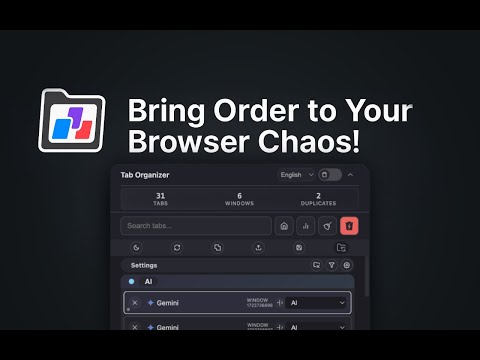
Too many tabs? Tab Organizer App puts every open tab of your Chrome profile into one clear list. It shows your real Chrome tab groups, lets you edit them, puts tabs to sleep when you say so, and saves sessions. You start in Mirror: the same groups as in Chrome, in one list across all windows. Turn on Tab Groups Sync (Beta) only if you want tabs grouped automatically by site. Mirror and Sync don't run at the same time. KEY FEATURES • Mirror: see and edit Chrome's tab groups as they are. Create, rename, recolor, reorder, collapse or dissolve groups and move tabs between them. Dissolving a group only ungroups it, the tabs stay open. • Pinned tabs: their own section at the top of the list, just like in Chrome's tab strip. • Windows view: all your windows side by side. Move tabs between windows or merge windows, and your tab groups come along with name, color and collapsed state. • Sleep and wake: free memory on your command, for one tab, a group or everything. No timers, and the tab you are on stays awake. • Search: find any tab as you type, move through the results with the arrow keys and switch with Enter. • Undo: closed or regrouped by mistake? Undo it, even after you closed the popup. • Sessions: save and restore layouts with several windows, including group names, pinned tabs and tab order. • Rules and profiles: group tabs by domain, URL or title, keep different setups as profiles, and split oversized groups. • Tab Groups Sync (Beta): optional automatic grouping into Chrome's real tab groups. With Auto-Collapse, only the active group stays open. • Duplicates: find duplicate tabs and jump to them. • Backups and import: JSON backups on your device, plus import from Session Buddy, OneTab or Toby. • Popup, side panel or its own window: same interface, your choice. Light and dark theme. KEYBOARD SHORTCUTS • Open Tab Organizer App: Alt + O · Mac: ⌥ O • Activate first search result: Alt + Shift + A · Mac: ⌥ ⇧ A • Close all tabs except the active one: Alt + Shift + K · Mac: ⌥ ⇧ K • Collapse all groups except the active one: Alt + Shift + C · Mac: ⌥ ⇧ C If a shortcut does nothing, another extension may already use it. Set your own at chrome://extensions/shortcuts. PRIVACY Runs locally in your browser. No account, no tracking. Your rules, profiles and tab data stay on this device. Favicons come from Chrome's local cache, so opening the extension sends no requests to the websites of your tabs. Incognito tabs are left out of sessions and statistics. LANGUAGES (19) Arabic, Bengali, Chinese, Dutch, English, French, German, Hebrew, Hindi, Indonesian, Italian, Japanese, Korean, Portuguese, Punjabi, Russian, Spanish, Turkish, Vietnamese, with local site rules where they matter. Free. No ads. No account. Website and help: https://taborganizer.app
4.3 out of 56 ratings
Details
- Version1.2.3
- UpdatedNovember 22, 2026
- Size1.22MiB
- Languages19 languages
- DeveloperWebsite
Email
info@taborganizer.app - Non-traderThis developer has not identified itself as a trader. For consumers in the European Union, please note that consumer rights do not apply to contracts between you and this developer.
Privacy

This developer declares that your data is
- Not being sold to third parties, outside of the approved use cases
- Not being used or transferred for purposes that are unrelated to the item's core functionality
- Not being used or transferred to determine creditworthiness or for lending purposes
Support
For help with questions, suggestions, or problems, visit the developer's support site