

PencilKit — Native-Feel Web Sketching & Annotation

Overview
High-performance sketching and annotation tool. Explain ideas, give feedback, and take notes on any webpage with a native-feel.
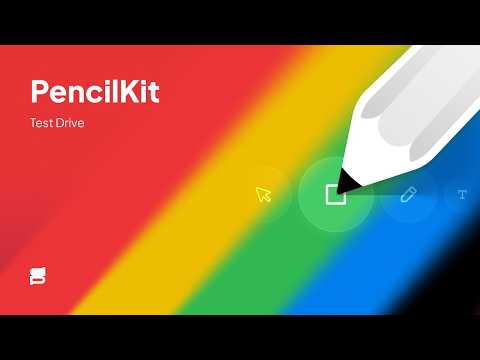
PencilKit is a fast, native-feel **web sketching and annotation** tool. Turn any web page into a high‑performance canvas so you can **draw, highlight, and take notes on websites** in seconds. Built by a designer, PencilKit feels like part of your browser: clean UI, no lag, and no clunky menus. Use it to explain ideas, review designs, leave visual feedback, or sketch UI flows directly on top of pages like LinkedIn, Figma, or Google Docs. PencilKit is fully scroll‑aware, so you can **draw while scrolling long web pages** without things freezing or losing your place. Lines stay smooth and responsive even on complex sites. Switch tools instantly with simple keyboard shortcuts: - P = Pen (draw and sketch on web pages) - H = Highlighter (emphasize text and elements) - B = Blur (hide sensitive information in screenshots or demos) - E = Eraser (quick clean‑up) 💰 Simple, Honest Pricing PencilKit is **pay‑what‑you‑want**. You can get your key for any amount you choose — including free ($0). There are no minimums, no subscriptions, and no hidden costs. You can try PencilKit free for 5 days. After that, you’ll see a gentle reminder to support the creator, but you can always continue using it for free ($0) or contribute any amount you like. 🛡️ Privacy & Security PencilKit is built to be safe and private. It’s a **browser drawing and annotation extension** that runs locally: - No Accounts: You never need to sign up or provide an email. - No Tracking: I don’t collect your data or track your browsing. Your drawings stay on your computer. - Trusted Platform: Activation keys are handled securely via Polar.sh, a verified open‑source platform. 📈 Whether you choose to support the project or use it for free, you get the full professional experience. Thank you for supporting independent creators!
5 out of 53 ratings
Details
- Version1.3.5
- UpdatedSeptember 30, 2026
- FeaturesOffers in-app purchases
- Size164KiB
- LanguagesEnglish
- DeveloperSidiq PrihatnoWebsite
Perum Graha Indah Blok D1 No. 14 Graha Indah Balikpapan, Kalimantan Timur 76126 IDEmail
hi@sidiqprihatno.comPhone
+62 895-3948-56969 - TraderThis developer has identified itself as a trader per the definition from the European Union and committed to only offer products or services that comply with EU laws.
Privacy

This developer declares that your data is
- Not being sold to third parties, outside of the approved use cases
- Not being used or transferred for purposes that are unrelated to the item's core functionality
- Not being used or transferred to determine creditworthiness or for lending purposes
Support
For help with questions, suggestions, or problems, please open this page on your desktop browser