Item logo image for Pencil Window

Pencil Window

5.0(

1 rating

)
Item media 2 (screenshot) for Pencil Window
Item video thumbnail
Item media 2 (screenshot) for Pencil Window
Item video thumbnail
Item media 2 (screenshot) for Pencil Window

Overview

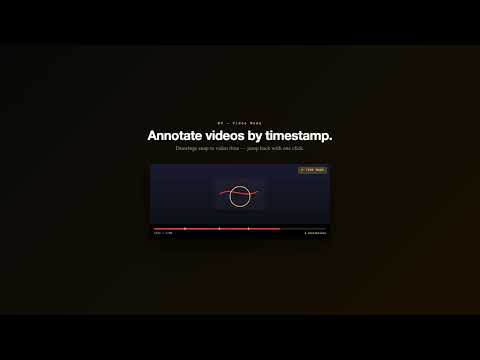
Draw on any page. Your strokes follow scroll and stay per URL. Open a notes dashboard to jump back to any saved drawing.

Draw on any page. Your strokes follow scroll and stay per URL. Open a notes dashboard to jump back to any saved drawing.

Details

  • Version
    1.0.0
  • Updated
    February 25, 2026
  • Size
    4.39MiB
  • Languages
    English (United States)
  • Developer
    Website
    Email
    thismahsumozer@gmail.com
  • Non-trader
    This developer has not identified itself as a trader. For consumers in the European Union, please note that consumer rights do not apply to contracts between you and this developer.

Privacy

Manage extensions and learn how they're being used in your organization
The developer has disclosed that it will not collect or use your data. To learn more, see the developer’s privacy policy.

This developer declares that your data is

  • Not being sold to third parties, outside of the approved use cases
  • Not being used or transferred for purposes that are unrelated to the item's core functionality
  • Not being used or transferred to determine creditworthiness or for lending purposes

Support

For help with questions, suggestions, or problems, visit the developer's support site

Related

Screen Canvas - Draw on any Web page

4.4

Draw on any web page, highlight text blocks, and annotate them with notes and colours, all for FREE.

Magnet Link Copier

0.0

Copy all magnet links from the current page to clipboard

Copy URLs

4.5

Copy all open URLs to clipboard

Copy URL of All Tabs

4.0

Copy, Copy all Tabs URLs to the clipboard. Paste, Open Tabs all the URLs in the clipboard.

Focus-Anchor

0.0

Re-open any page exactly where you left off.

MindTag

4.0

Take notes and draw directly on any website with persistent annotations

Mass Copy URLs − copy all URLs on all tabs

2.5

Copy to clipboard all the URLs in one click

Page Marker - Draw on Web

4.1

Draw or highlight on any website in real time. Add text, lines, and shapes. Move, undo, or redo anything you draw.

Tab Stacks: Tab group launcher

5.0

Tab Stacks lets you instantly open sets of saved websites grouped by workflow. Launch all your tabs for a task with one click.

Save All Tab URLs

4.8

Get the raw URLs of all your open tabs!

Copy Tabs URLs

0.0

Copy/Paste the URLs from all your open tabs

クリップボードにコピーしたURLを一括で開く

0.0

クリップボードにコピーしたURLを一括で開きます。

Screen Canvas - Draw on any Web page

4.4

Draw on any web page, highlight text blocks, and annotate them with notes and colours, all for FREE.

Magnet Link Copier

0.0

Copy all magnet links from the current page to clipboard

Copy URLs

4.5

Copy all open URLs to clipboard

Copy URL of All Tabs

4.0

Copy, Copy all Tabs URLs to the clipboard. Paste, Open Tabs all the URLs in the clipboard.

Focus-Anchor

0.0

Re-open any page exactly where you left off.

MindTag

4.0

Take notes and draw directly on any website with persistent annotations

Mass Copy URLs − copy all URLs on all tabs

2.5

Copy to clipboard all the URLs in one click

Page Marker - Draw on Web

4.1

Draw or highlight on any website in real time. Add text, lines, and shapes. Move, undo, or redo anything you draw.

Google apps