

Mokup - Mock APIs in DevTools

Overview
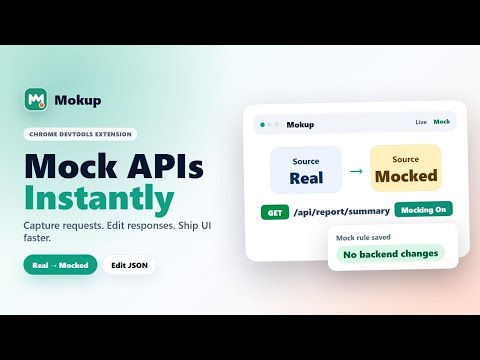
Capture Fetch/XHR in DevTools, mock responses, or forward API calls to your local backend.
Mokup is a Chrome DevTools extension for frontend developers and QA/QC testers who need to inspect API traffic, create local mock responses, and route real requests to a local backend. Stop waiting for backend changes, broken DEV/QA APIs, slow deployments, or hard-to-reproduce edge cases. With Mokup, you can capture a real Fetch/XHR request and turn it into an editable mock response — or forward it to your local server — directly inside DevTools. Open DevTools, choose the Mokup panel, capture Fetch/XHR requests in the Live tab, then turn any request into a rule. Rules are stored locally in your browser and can be enabled, disabled, duplicated, edited, or deleted from the Mock tab. Key features: - Capture live Fetch/XHR requests in DevTools - View method, URL, status, type, source, and timing - Create mock rules from captured requests - Mock responses: edit body, status code, URL matcher, method, and delay - Forward to local: proxy matching Fetch/XHR requests to http://localhost:3000 or any http/https target, preserving path, query, method, headers, and body, then return the real local response to the page - Mix mock and forward rules side by side - Undo/redo response body edits with Ctrl+Z and Ctrl+Shift+Z (or Ctrl+Y) - Toggle global mocking on or off - Enable or disable individual rules - Filter requests by method, type, source, and search text - See whether a request came from the real network, a mock, or a local forward Use Mokup when: - Frontend work is blocked by backend endpoints that are not ready yet - Developers have not fixed an API issue yet, but QA/QC needs to keep testing - Test data in DEV/QA environments is missing, slow, or unstable - You need to unblock a test flow without waiting for backend changes - You need to test empty states, error states, loading states, or edge cases - You want to demo UI changes without changing backend code - You want to run the frontend against a real local backend without changing API base URLs, dev-server proxies, or CORS setup - The backend exists locally but is not deployed to DEV/QA yet - You need to switch between mocked and real local responses while testing UI states Privacy: Mokup stores rules locally in Chrome storage. It does not send captured requests, response bodies, or rules to any Mokup server, and includes no analytics, ads, or tracking. When you enable Forward to local, the matching request (URL, method, headers, and body) is sent directly to the http/https URL you configure for that rule, typically a server on localhost; this traffic does not pass through Mokup. If you activate a Pro license, the license key and activation metadata are sent to Polar for validation; request data and rules are never sent to Polar. Mokup injects its request-interception script when the Mokup DevTools panel is opened. While global mocking is enabled, it registers early injection so enabled rules can handle requests before page code runs. The global toggle turns all interception off. Mokup is intended for frontend development, QA/QC testing, UI testing, API debugging, local backend development, and local mock workflows.
0 out of 5No ratings
Details
- Version0.2.0
- UpdatedOctober 26, 2026
- FeaturesOffers in-app purchases
- Offered byx.dev
- Size43.79KiB
- LanguagesEnglish
- Developer
Email
phuocich.dev@gmail.com - Non-traderThis developer has not identified itself as a trader. For consumers in the European Union, please note that consumer rights do not apply to contracts between you and this developer.
Privacy

Mokup - Mock APIs in DevTools has disclosed the following information regarding the collection and usage of your data. More detailed information can be found in the developer's privacy policy.
Mokup - Mock APIs in DevTools handles the following:
This developer declares that your data is
- Not being sold to third parties, outside of the approved use cases
- Not being used or transferred for purposes that are unrelated to the item's core functionality
- Not being used or transferred to determine creditworthiness or for lending purposes
Support
For help with questions, suggestions, or problems, please open this page on your desktop browser