


Overview
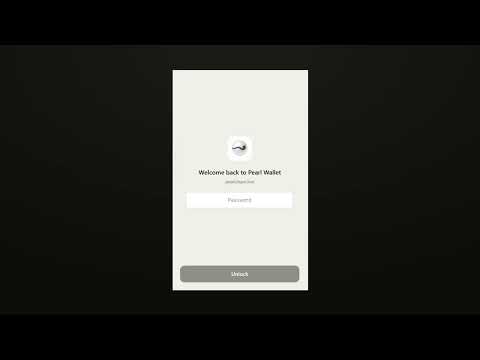
Pearl Wallet — community-built Chrome extension for the Pearl blockchain (Proof-of-Useful-Work).
A community-built mobile wallet for the Pearl network — a Proof-of-Useful-Work blockchain where mining is matrix multiplication. Self-custodial, you are the owner of your data changelog v1.1.0 — Multiple accounts & flexible import/export • Multiple accounts: create several accounts from your recovery phrase and switch between them instantly. • Import a private key (hex or WIF) as its own account. • Import another recovery phrase (12 or 24 words) as an account — it auto-detects the right derivation path and finds your funds. • Export the private key for any account. • 12- or 24-word phrases supported when creating or importing a wallet. • New Activity tab for your full transaction history. • PRL/USD price chart on the dashboard. • New bottom navigation: Wallet · Activity · Settings. • Deleting a wallet now requires your password. • Live "passwords match" feedback when setting a password. v1.3.0 - PNS suport - register and transfer .pns domains v1.3.1 - support added for V2 Taproot addresses - v1 Taproot (prl1p…) — 32-byte program. The standard type. - v2 (prl1z…) — and forward-compatible to v3–v16, program 2–40 bytes. All must be valid bech32m (checksum verified). v1.3.2: safety update, please install • Your .pns names are protected. Sending and consolidating never spend the coins that hold your names, and Send shows how much is spendable. • Transferring a name always delivers it to the new owner, including when the transfer needs a second coin for the fee. A name on a large coin is sent on a small coin and the rest comes back to you. • Send only accepts address types that exist on Pearl. Addresses where funds could be taken by anyone, or never spent, are refused. • Stronger password protection. Your wallet is re-encrypted with 6x stronger key stretching the next time you unlock. Unlocking is not slower. • A mistyped address now shows "Invalid Pearl address". • Updated cryptography and build libraries. Still non-custodial, no analytics, no tracking. v1.3.3: send max fixed, clearer review, fresher look • MAX now sends everything minus the network fee, so the transaction goes through instead of failing. Typing your whole balance tells you exactly how much to lower it. • Review screen shows the amount up front, the contact or .pns name you are paying, the address with its start and end highlighted, the fee and the total leaving your wallet. • Fee options read as wait times (~10 min, ~3 min, next block) with the cost in dollars. • Type the amount in USD if you prefer: tap the unit next to the field. • Paste button and "known contact" check on the recipient. • A safety limit on fees: the wallet refuses to sign if the indexer suggests a fee that is out of proportion. • Activity is grouped by day and names who you paid or who paid you. • Dashboard: cleaner balance, a pending badge, and a "receive your first PEARL" card with the QR for new wallets. Slightly larger text throughout. Still non-custodial, no analytics, no tracking. Pearl Wallet 1.3.4 Tidy up your accounts and move funds in one go. New • Remove accounts you no longer need, one or several at once (Settings → Manage accounts). The wallet tells you what each removal means: – Accounts from your recovery phrase are only hidden. "Add account" brings them back at the same addresses, with the same funds. – Imported private keys and imported recovery phrases are deleted from the wallet for good. You can back them up first, and if one still holds PRL or .pns names you have to type DELETE to confirm. Your main account always stays. • Move all funds (Settings → Move all funds): empty every account of a recovery phrase, or your imported keys, into one account of your choice. – One transaction per account by default, so the accounts stay unlinked on-chain. – Or combine them into one transaction for a lower fee. – Coins holding .pns names stay where they are. – Large accounts are split into several transactions automatically. – After the move you can remove the emptied accounts in one step. Security • Exporting a private key now asks for your password first. • Recovery phrases and keys you copy are cleared from the clipboard after 30 seconds while the wallet stays open. Paste them right away. • New passwords need at least 12 characters. Your current password keeps working. No new permissions. Still non-custodial, no analytics, no tracking. Pearl Wallet 1.3.5 Transfers include an optional 0.15% service fee that supports development. You can turn it off in Settings. What's new Pearl Wallet 1.3.6 • Your .pns names now belong to your address, not to a coin. Sending, sweeping or consolidating PRL never moves a name, even if you send your whole balance. • Settings → My .pns names now finds your names on every address of your account, including older and empty addresses. • New Transfer: the address that holds the name signs the transfer. If that address has no PRL left, the wallet first sends it a few grains from the rest of your account, so the transfer takes two small transactions. • Transferring a name has no service fee. • Older versions no longer list your names. Update to see and transfer them.
4.1 out of 59 ratings
Details
- Version1.3.6
- UpdatedOctober 16, 2026
- Size182KiB
- LanguagesEnglish
- Developer
- Non-traderThis developer has not identified itself as a trader. For consumers in the European Union, please note that consumer rights do not apply to contracts between you and this developer.
Privacy

This developer declares that your data is
- Not being sold to third parties, outside of the approved use cases
- Not being used or transferred for purposes that are unrelated to the item's core functionality
- Not being used or transferred to determine creditworthiness or for lending purposes