


Overview
Merge, split, crop, rotate and lock PDFs, and turn pictures into PDFs. Everything runs on your computer, nothing is uploaded.
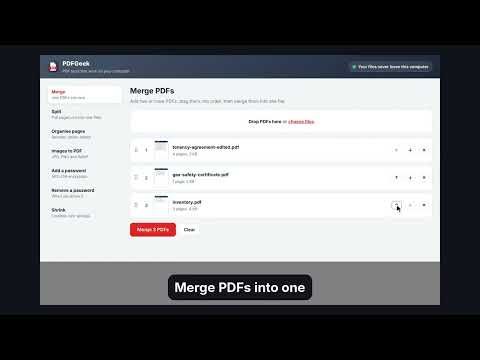
PDFGeek puts everyday PDF tools in a tab of your browser, and it never uploads your files. Merge several PDFs into one. Split out the pages you need. Drag pages into a new order, turn sideways pages the right way up and remove blank ones, with a preview of every page. Crop pages down to the part you need, such as a postage label printed in one corner of an A4 page, and save it at its own size or fitted to 4 x 6 inch label paper, A6 or A4. Turn JPG, PNG and WebP pictures into a PDF on A4, Letter or a page that fits the picture. Lock a PDF with an AES-256 password that works in every modern reader, or remove a password you know. Shrink files without losing quality. Right-click a PDF link and choose Open in PDFGeek. Everything runs on your computer. No account, no adverts, no tracking. Free and open source from TechyGeeksHome. Full guide: https://techygeekshome.info/browser-extensions/pdfgeek/
0 out of 5No ratings
Details
- Version1.1.0
- UpdatedOctober 21, 2026
- Size1.17MiB
- LanguagesEnglish (United Kingdom)
- DeveloperWebsite
Email
techygeeks@outlook.com - Non-traderThis developer has not identified itself as a trader. For consumers in the European Union, please note that consumer rights do not apply to contracts between you and this developer.
Privacy

This developer declares that your data is
- Not being sold to third parties, outside of the approved use cases
- Not being used or transferred for purposes that are unrelated to the item's core functionality
- Not being used or transferred to determine creditworthiness or for lending purposes
Support
For help with questions, suggestions, or problems, visit the developer's support site