

PDFCheetah – PDF Tools, Offline

Overview
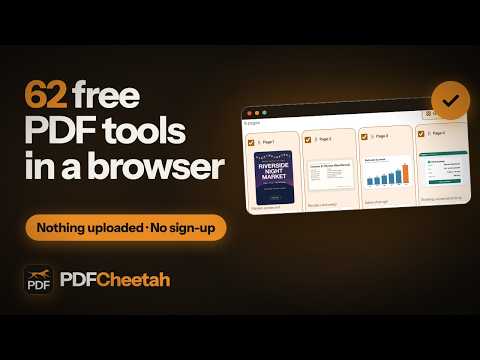
Merge, compress, convert, sign and edit PDFs on your device: no upload, no account, free. Over 60 tools, offline.
Over 60 PDF tools in one extension, and every one of them runs on your computer. Your files never leave your device. Click the PDFCheetah button (or press Alt+Shift+P), type what you want to do, and the tool opens in a tab. Or drop your files on the PDFCheetah page first: it shows only the tools that take them, and opens the one you pick with your files already in it. WHAT YOU CAN DO • Organise pages: merge, split, rotate, reorder, extract and delete pages. • Make files smaller: compress a PDF, or fit it under a size limit you choose. • Turn photos, scans, documents and e-books into PDFs. • Save PDF pages as images, or get the text out of them. • Edit and sign: add text, sign, fill in forms, add a watermark or page numbers. • Protect: add a password, unlock a PDF, or remove hidden metadata. OPEN A PDF FROM THE WEB Right-click a PDF link and choose "Open this PDF in PDFCheetah". The first time, PDFCheetah asks for access to that one site. The PDF is downloaded into your browser and opens in the tool you pick. • No upload. Every tool runs inside the extension. Nothing you open is sent anywhere, and there are no analytics. • No account, no sign-up, free. Merge up to 20 files at once. • Works without a connection once installed. • Light and dark, like the website. Word, Excel and PowerPoint to PDF, OCR and certificate signing are coming with the PDFCheetah desktop app; the extension links to them at https://www.pdfcheetah.com.
0 out of 5No ratings
Details
- Version2.0.1
- UpdatedOctober 27, 2026
- Offered byPDFCheetah
- Size14.67MiB
- LanguagesEnglish
- Developer
Email
pdfcheetah@gmail.com - Non-traderThis developer has not identified itself as a trader. For consumers in the European Union, please note that consumer rights do not apply to contracts between you and this developer.
Privacy

This developer declares that your data is
- Not being sold to third parties, outside of the approved use cases
- Not being used or transferred for purposes that are unrelated to the item's core functionality
- Not being used or transferred to determine creditworthiness or for lending purposes
Support
For help with questions, suggestions, or problems, visit the developer's support site