


Overview
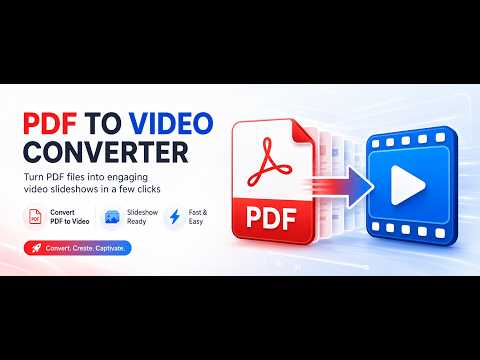
Turn any PDF into a video. Each page becomes an HD frame with music, motion, transitions and an optional cover slide.
🎬 PDF to Video Converter transforms your PDF documents into beautiful, share-ready videos. Every page is rendered as a high-resolution frame, then brought to life with cinematic motion, smooth transitions, background music and an optional title slide — all in a few clicks. Perfect for presentations, portfolios, real-estate flyers, catalogs, e-books, training material and social media clips. 📄➡️🎞️ ✨ What it does 📄 Page-perfect rendering — each PDF page becomes a crisp HD image (up to 300 DPI) 🎥 Ken Burns motion — subtle zoom & pan that adds a professional, dynamic feel 🔀 20+ transitions — fades, slides, wipes, zooms and more between pages 🎵 Background music — pick a built-in track or upload your own, with volume & loop control 🪧 Cover slide — add a title, subtitle and custom colors at the start ⚙️ Full quality control — resolution up to 4K, frame rate, bitrate and letterbox color ⬇️ One-click export — save a high-quality WebM video, ready to share 🔒 100% private & offline Everything runs locally in your browser — your files never leave your computer and nothing is uploaded to any server. No account, no tracking. 🛡️ 🌍 Your language, your look Available in 9 languages 🇬🇧 🇮🇹 🇪🇸 🇫🇷 🇩🇪 🇵🇹 🇳🇱 🇵🇱 🇹🇷 — opens automatically in your browser's language ☀️ Light and 🌙 Dark themes 🖥️ Opens in a full browser tab so you can see every option and preview your video comfortably 🆓 Free to use Create videos for free. Unlock the PRO version to remove the demo watermark from your exports. ✅ Turn static PDFs into engaging videos today! 🚀
0 out of 5No ratings
Details
- Version2.0.0
- UpdatedJuly 21, 2026
- FeaturesOffers in-app purchases
- Size25.85MiB
- Languages10 languages
- DeveloperWebsite
Email
tuttoemailsoft@gmail.com - Non-traderThis developer has not identified itself as a trader. For consumers in the European Union, please note that consumer rights do not apply to contracts between you and this developer.
Privacy

This developer declares that your data is
- Not being sold to third parties, outside of the approved use cases
- Not being used or transferred for purposes that are unrelated to the item's core functionality
- Not being used or transferred to determine creditworthiness or for lending purposes
Support
For help with questions, suggestions, or problems, please open this page on your desktop browser