

PDF to Clipboard
1 rating
)
Overview
Copy or download text from specific pages or page ranges of a PDF (e.g. 1,3,6,10-20).
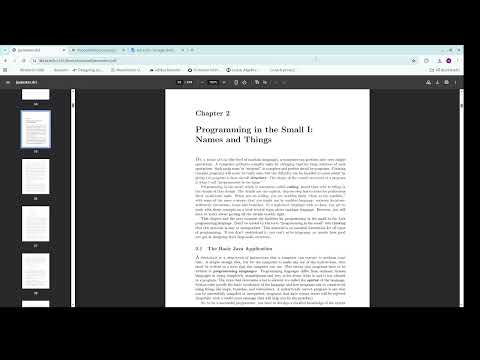
Grab exactly the pages you need from any PDF. PDF to Clipboard lets you extract text from specific pages or page ranges without scrolling, selecting, or exporting the whole document. Type the pages you want, and copy the text straight to your clipboard, or save just those pages as a new PDF. How it works: Open a PDF in Chrome. Click the extension icon. Enter the pages you want Click Copy to send the text to your clipboard, or Download as PDF to save just those pages as a new file. Features: Flexible page selection: Individual pages, ranges, or any mix (2, 5-8, 12). A trailing dash like 10- means page 10 through the end. Copy Text: Copy text from PDFs directly to clipboard from the pages you selected Download: Export the selected pages as a standalone PDF. Works on local and online PDFs Great for: -Students pulling information from textbooks or papers -Researchers gathering excerpts across long reports -Professionals extracting sections of contracts, manuals, or filings -Anyone feeding specific PDF pages into notes, emails, or AI tools Private by design: Text extraction happens entirely in your browser using a bundled copy of PDF.js. Your PDFs and copied text are never uploaded to us or any third party. No data collection, no analytics, no accounts. All processing happens locally on your device.
5 out of 51 rating
Details
- Version1.0.1
- UpdatedOctober 7, 2026
- Offered byWasfi
- Size722KiB
- LanguagesEnglish
- Developer
Email
wasfizd@gmail.com - Non-traderThis developer has not identified itself as a trader. For consumers in the European Union, please note that consumer rights do not apply to contracts between you and this developer.
Privacy

PDF to Clipboard has disclosed the following information regarding the collection and usage of your data. More detailed information can be found in the developer's privacy policy.
PDF to Clipboard handles the following:
This developer declares that your data is
- Not being sold to third parties, outside of the approved use cases
- Not being used or transferred for purposes that are unrelated to the item's core functionality
- Not being used or transferred to determine creditworthiness or for lending purposes