


Επισκόπηση
A general-purpose Portable Document Format (PDF) viewer based on Mozilla's PDF.js library
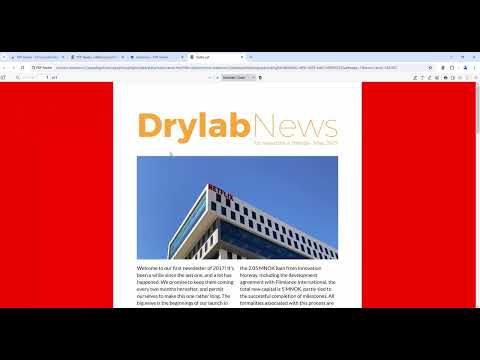
This extension uses Mozilla's pdf.js library to display PDF files in your browser. It will be used as a replacement for the default PDF viewer. This extension supports rendering remote and local PDF files on top frames. The extension provides the same experience as you open PDF files in the Firefox browser. To allow the extension to parse local PDF files, you need to enable "Access Local Files" in the extension manager. If you prefer the extension to parse PDF files in frame elements use the right-click context menu checkbox Features: 1. Provides both light and dark theme options 2. Facilitates page navigation using the "page" hash 3. Allows customization of the PDF viewer's appearance 4. Enables the display of both signed and unsigned PDF signatures 5. Permits the opening of PDF files by dragging and dropping them into the viewer 6. Offers partial support for executing PDF scripts 7. Allows for the insertion of text and images 8. Enables drawing functionality, such as digitally signing the PDF with a pen or mouse. 9. Crop part of the document and store it as a new PDF 10. Extract some pages from the document and store it as a new PDF Available Rendering Options: Disable Page Labels Enable Permissions Enable Print Auto-Rotate Enable WebGL History Update URL Ignore Destination Zoom PDF Bug Enabled Render Interactive Forms (AcroForm/XFA) Use Only CSS Zoom Disable Auto Fetch Disable Font Face Disable Range Disable Stream Version Log: 0.1.2: 1. Updates pdf.js library to v1.9.426 2. Favicon detection is improved 3. There are two context menu items to open PDF links in a new tab and in a new background tab 0.1.4 1. Updates pdf.js library to v2.2.228 2. Handles *.PDF files in Chrome OS 3.Allows opening of local PDF files either by dropping them or by using the open button on the user-interface
4,5 από 5100 αξιολογήσεις
Μάθετε περισσότερα σχετικά με τα αποτελέσματα και τις αξιολογήσεις.
Λεπτομέρειες
- Έκδοση0.4.8
- Ενημέρωση6 Μαΐου 2026
- Προσφέρεται απόemano.waldeck
- Μέγεθος6.75MiB
- Γλώσσες12 γλώσσες
- Προγραμματιστής
Ηλεκτρονικό ταχυδρομείο
emano.waldeck@gmail.com - Μη επαγγελματίας έμποροςΑυτός ο προγραμματιστής δεν έχει αυτοπροσδιοριστεί ως έμπορος. Εάν είστε καταναλωτές στην Ευρωπαϊκή Ένωση, λάβετε υπόψη ότι τα δικαιώματα των καταναλωτών δεν ισχύουν για συμβάσεις ανάμεσα σε εσάς και σε αυτόν τον προγραμματιστή.
Απόρρητο

Αυτός ο προγραμματιστής δηλώνει ότι τα δεδομένα σας
- Δεν πωλούνται σε τρίτα μέρη, με εξαίρεση τις εγκεκριμένες περιπτώσεις χρήσης
- Δεν χρησιμοποιούνται ούτε μεταφέρονται για σκοπούς που δεν σχετίζονται με τη βασική λειτουργία του στοιχείου.
- Δεν χρησιμοποιούνται ούτε μεταφέρονται για τον καθορισμό της πιστοληπτικής ικανότητας ή για λόγους δανειοδότησης.
Υποστήριξη
Για να λάβετε βοήθεια σχετικά με ερωτήσεις, προτάσεις ή προβλήματα που αντιμετωπίζετε, επισκεφτείτε τον ιστότοπο υποστήριξης